
Daily Quest #5: Job Dependencies
Workflow running jobs parrarel by default. To run jobs sequentially, you need to define other jobs using the jobs.<job_id>.needs keyword
- Add new workflows
needs-workflows.yaml
name: Needs worflows
on:
  workflow_dispatch:
jobs:
  build:
    runs-on: ubuntu-latest
    steps:
        - name: Checkout code
          uses: actions/checkout@v2
        - name: Build stage
          run: |
            echo "Hello from CI/CD!"
            echo "Running on build job"
  test:
    runs-on: ubuntu-latest
    needs: build
    steps:
        - name: Greeting from variable
          run: echo "Hello from ${{ env.GREETING }}"
        - name: Echo secret
          run: echo "Secret is ${{ secrets.SECRET_MSG }}"
        - name: Test stage
          run: |
            echo "Running on test job"
            echo "This job depends on the build job"
Push, and result
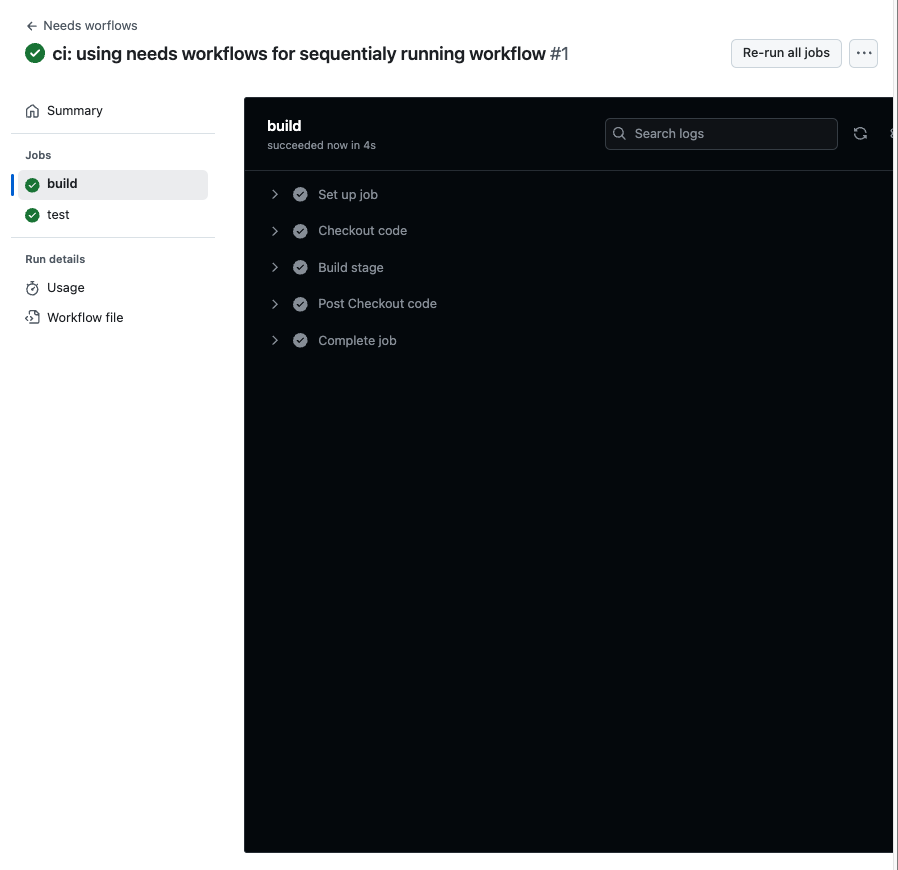
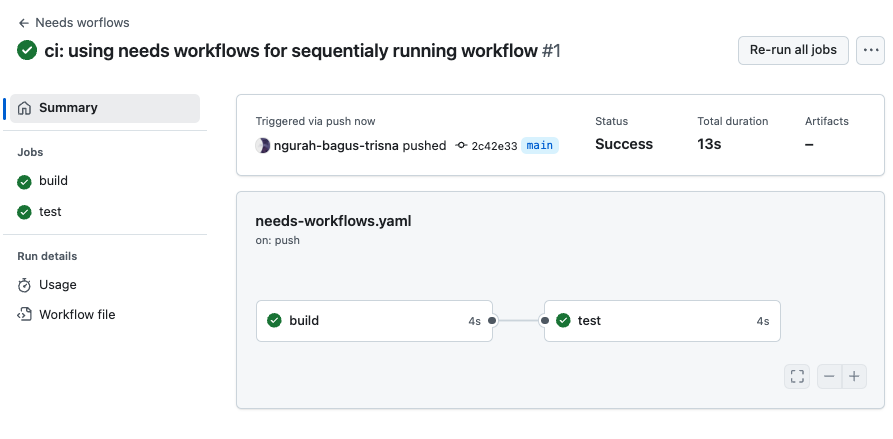
Answer :
- Dengan menjalankan job satu persatu, workflows dapat membuat efisien task hanya di satu jobs terlebih dahulu.
- Job akan gagal dan di skip ke next jobs (jika memenuhi peraturan).
Daily Quest #6: Artifact Management
Referensi : https://docs.github.com/actions/using-workflows/storing-workflow-data-as-artifacts Artifacts allow you to persist data after job has completed, and share that data with another job in the same workflows. Artifacts is file/collection of files produced during workflow run. For example, you can use artifacts to save your build & test output after a workflow run has ended. How to use You can use actions/upload-artifact to save files on artifacts.
      - name: Archive code coverage results
        uses: actions/upload-artifact@v4
        with:
          name: code-coverage-report
          path: output/test/code-coverage.html
Explanation :
name: name artifactspath: path file for upload to artifacts
To download file from artifacts, you can use actions/download-artifact action to download artifacts that were previously uploaded in the same workflow run.
- name: Download a single artifact
  uses: actions/download-artifact@v4
  with:
    name: my-artifact
Explanation :
name: name previously uploaded artifacts
- Create new workflows
artifact-workflow.yml
name: artifacts-workflows
on:
  push:
    branches:
      - main
jobs:
  build:
    runs-on: ubuntu-latest
    steps:
        - name: Checkout code
          uses: actions/checkout@v4
        - name: Create report
          run: |
            echo "Report at $date" > report.txt
        - name: upload artifacts
          uses: actions/upload-artifact@v4
          with:
            name: my-report
            path: report.txt
  consume:
    runs-on: ubuntu-latest
    needs: build
    steps:
      - name: consume artifacts
        uses: actions/download-artifact@v4
        with:
          name: my-report
      - name: show report
        run: |
          cat report.txt
          echo "Report consumed successfully"
Result :
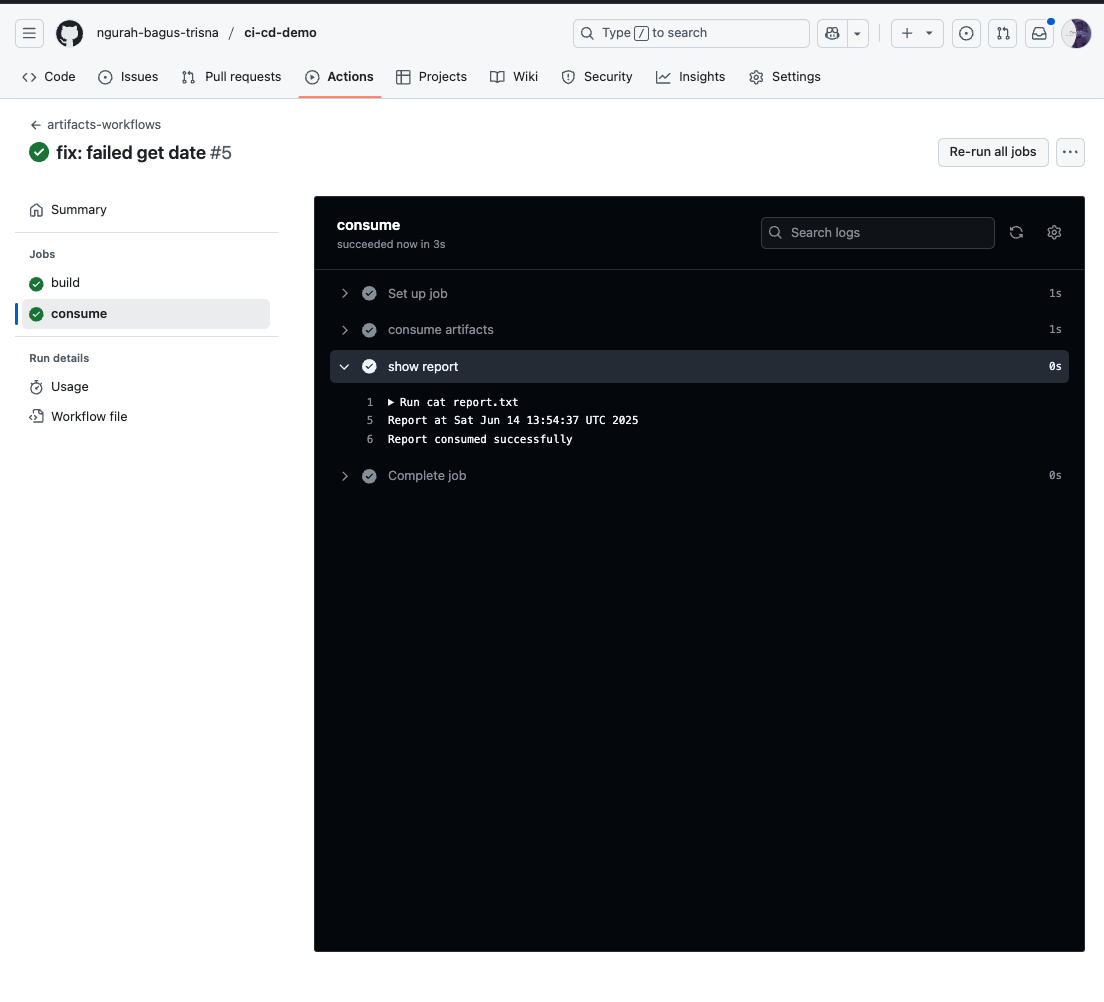
- Saya akan menggunakan artifact ketika ingin export hasil dari job yang sudah running. Sedangkan cache hanya untuk depedencies aplikasi yang digunakan berulang setiap kali jobs running
- Artifacts membantu untuk menggungah/mengunduh file di tiap job yang berjalan.
Read more

Provisioning AWS Lambda dengan Terraform
Lanjutan belajar AWS: mengenal Lambda dan provisioning Lambda function di AWS menggunakan Terraform.

Provisioning EC2 dan RDS di AWS dengan Terraform
Catatan provisioning infrastruktur AWS pakai Terraform untuk EC2 dan RDS, mulai dari konfigurasi sampai hasil apply-nya.

AWS IAM Role, EC2 Instance Profile, dan Multi-Tier VPC
Bikin IAM role dan attach ke EC2 lewat instance profile, uji akses ke S3 dan SSM Parameter Store, lalu provisioning multi-tier VPC pakai OpenTofu.

AWS IAM Least-Privilege Policy dan VPC Networking Deep Dive
Menyusun IAM policy least-privilege dan IAM role di AWS, lalu lanjut ke networking VPC: subnet publik-privat sampai NAT Gateway.