
Daily Quest #2: Least-Privilege IAM Policies
IAM (Identity & Access Management) is a web service that helps you securely control access to AWS Resources. On this day, i learn to craft and attach the minimal set of permissions erquired for EC-2 based application, following the principle of least privilage
Reference :
- What is IAM?
- Security best practices in IAM <- Recomended to read this for first time using AWS Resources
Skenario : Create IAM Policy to only permit DescribeInstances, DescribeSubnets, DescribeVpcs, And scope to aws account’s resources.
IAM Policy
IAM Policy is feature to manage access in AWS. A policy is an object in AWS that, when associated with an identity or resource, defines their permissions
Reference :
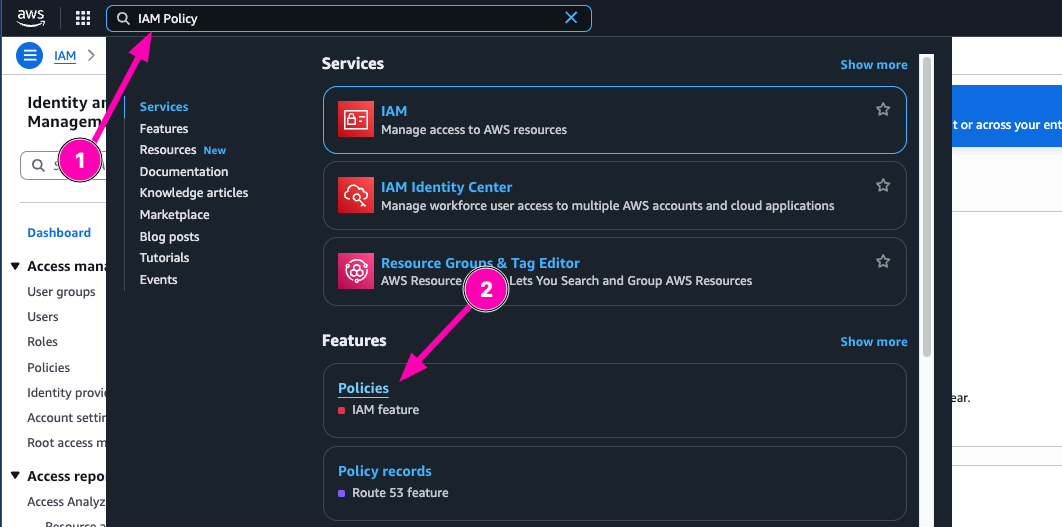
Access to IAM Policy
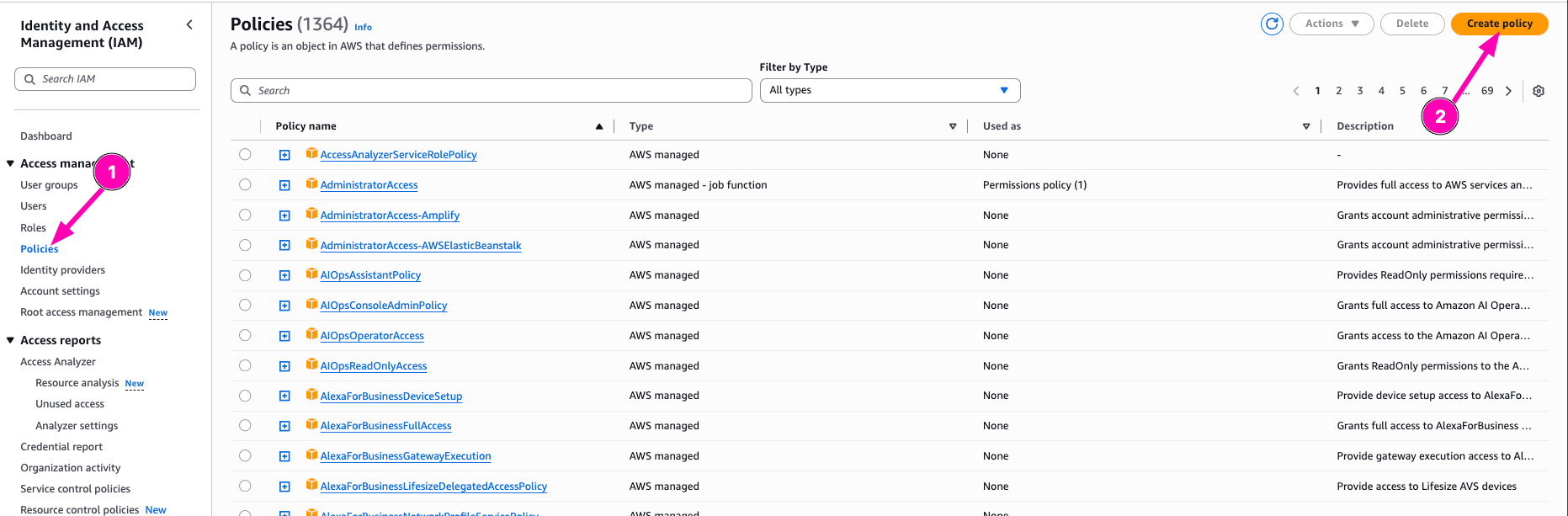
Then open Policy menu in IAM Dashboard, select Create Policy
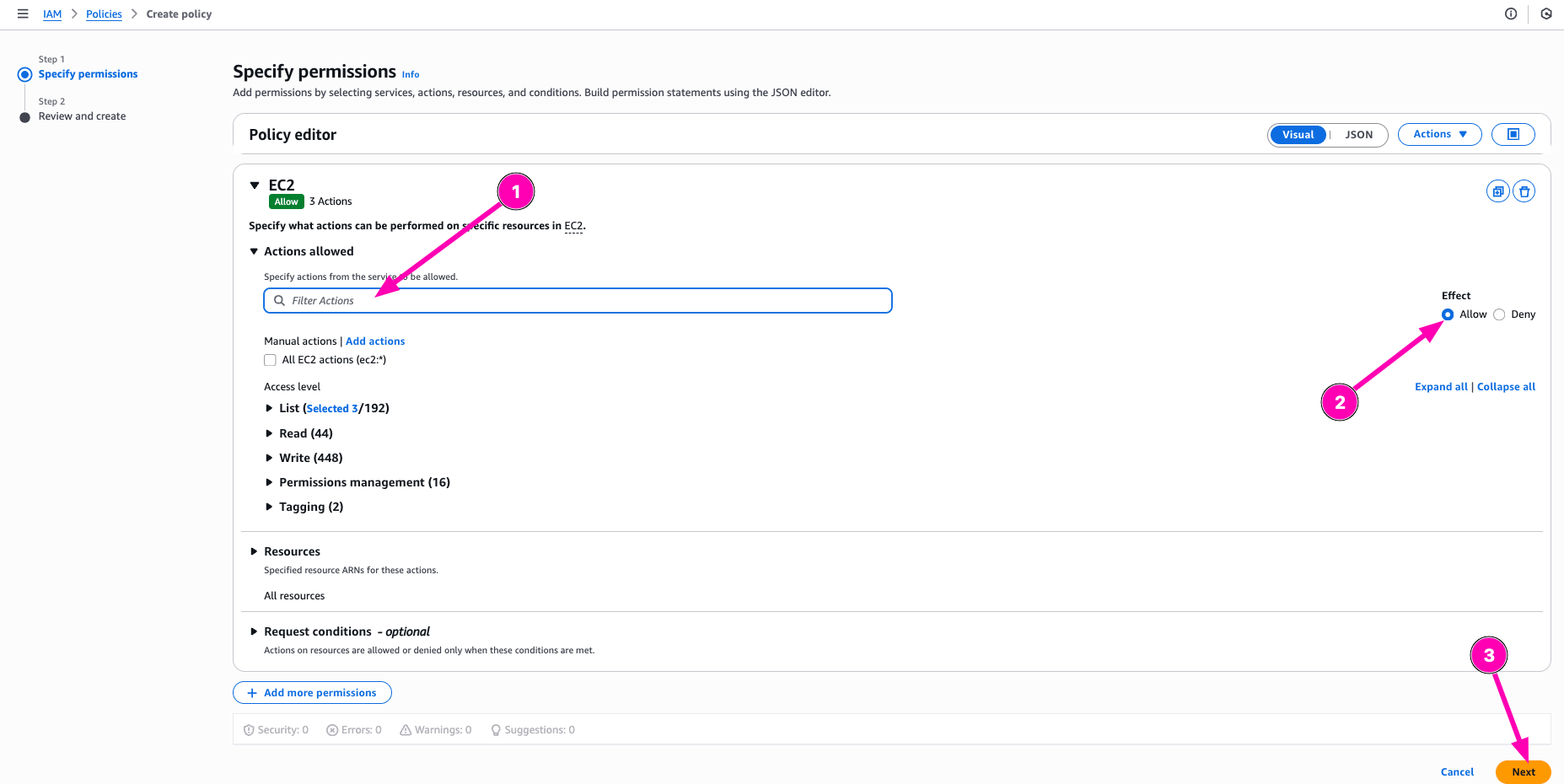
Select what resources to Allow or deny to access. On this section, i want to allow policy to Describe instances, subnets, and VPCs
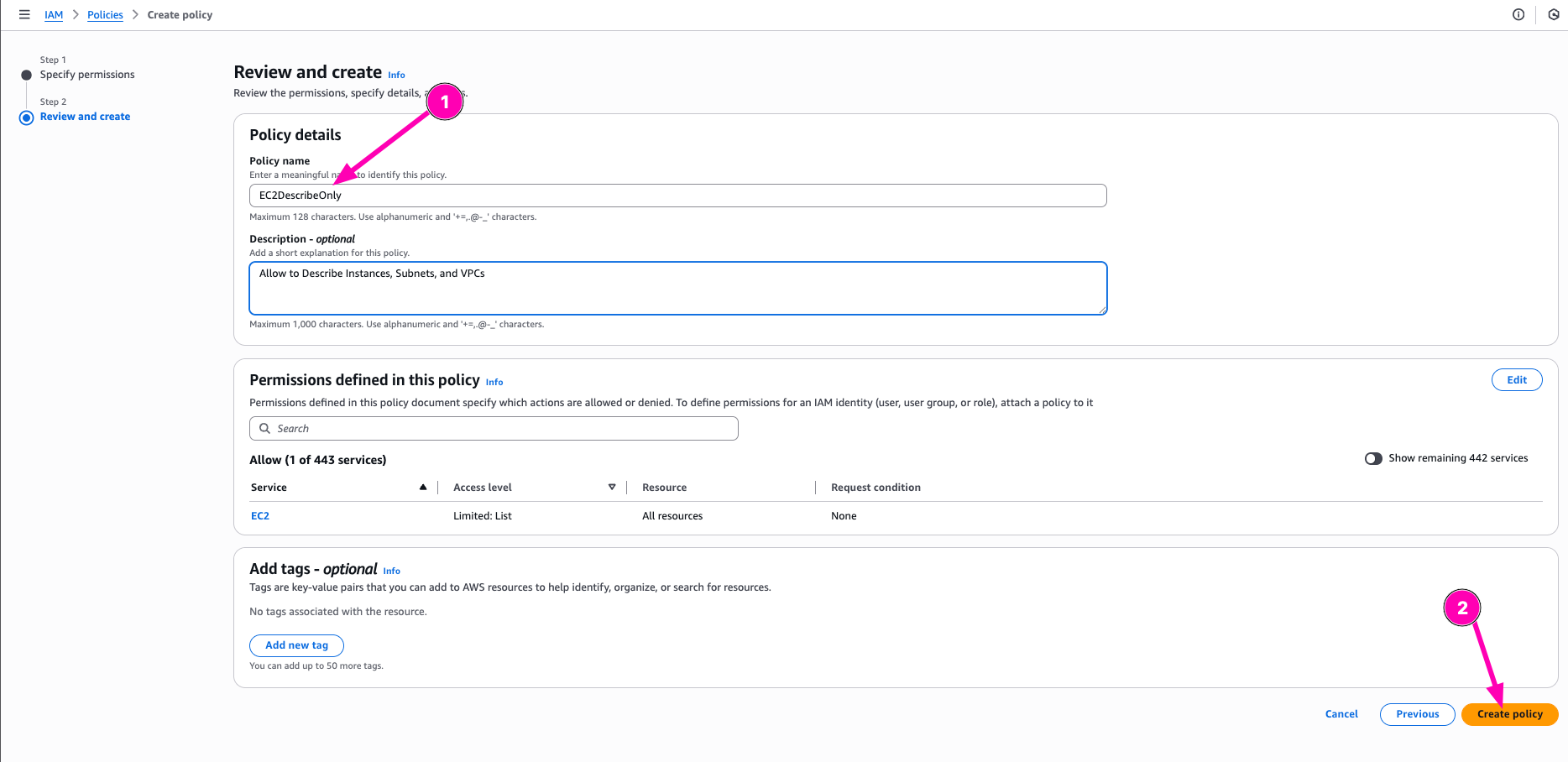
After all correct, begin to create Policy be click Create Policy
IAM Role
Object on AWS to assign spesific permission to account.
Now after policy created, we can attach policy to IAM Role. Navigate to Roles > Create Role
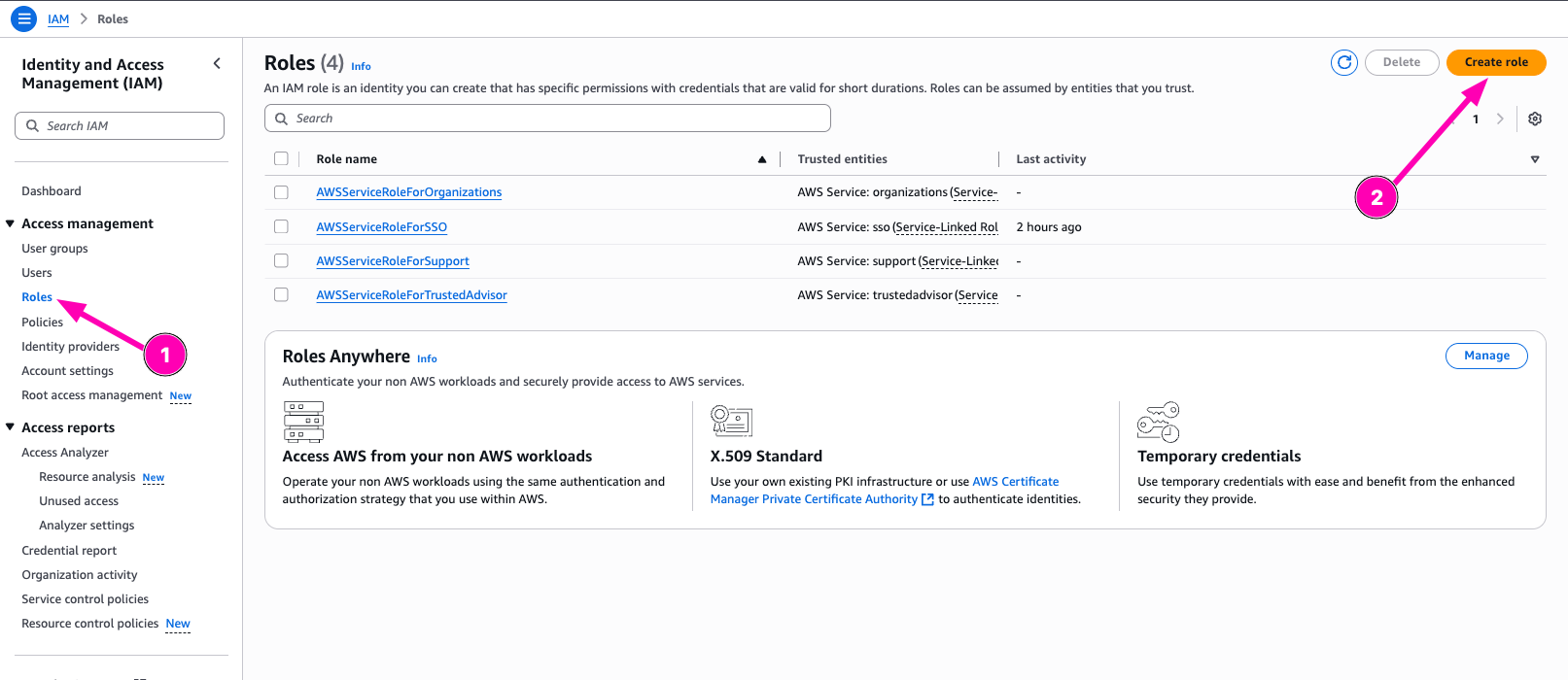
Then configure trusted entity. For this, i configure entity type to AWS Service, and Usecase to EC2
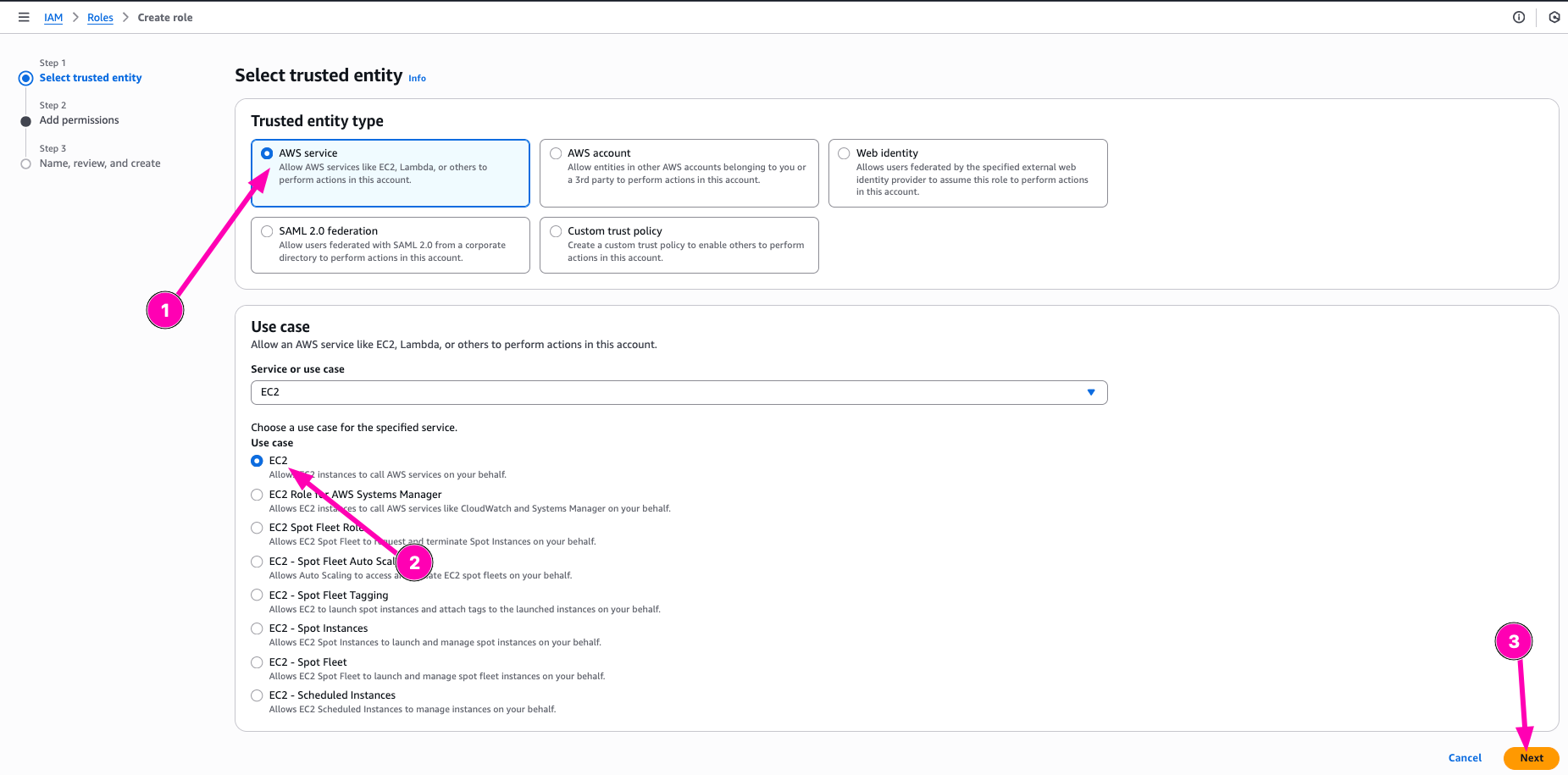
Search permission policy, and next
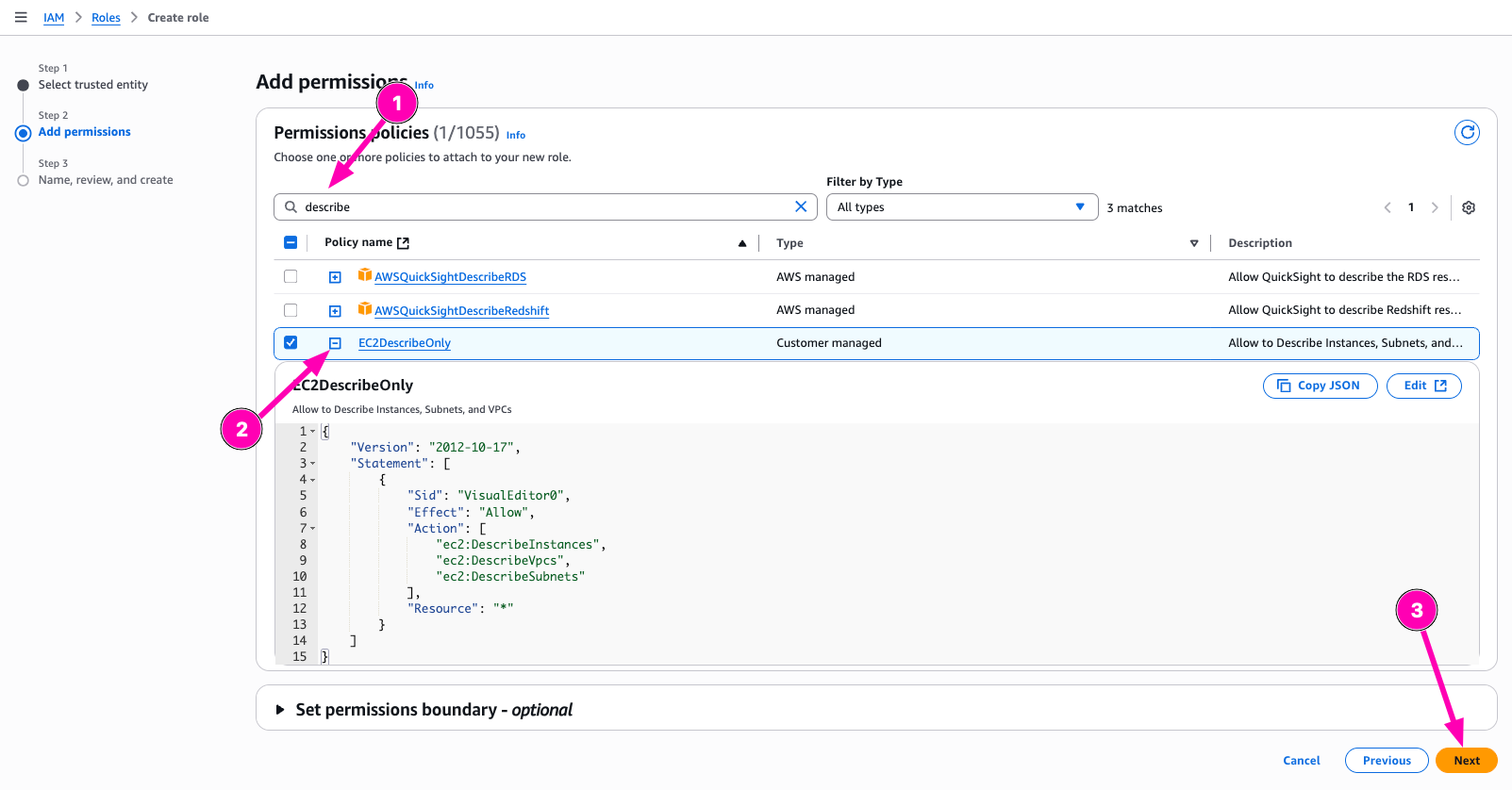
Enter name of roles, check again. If all correct, begin to create Role.
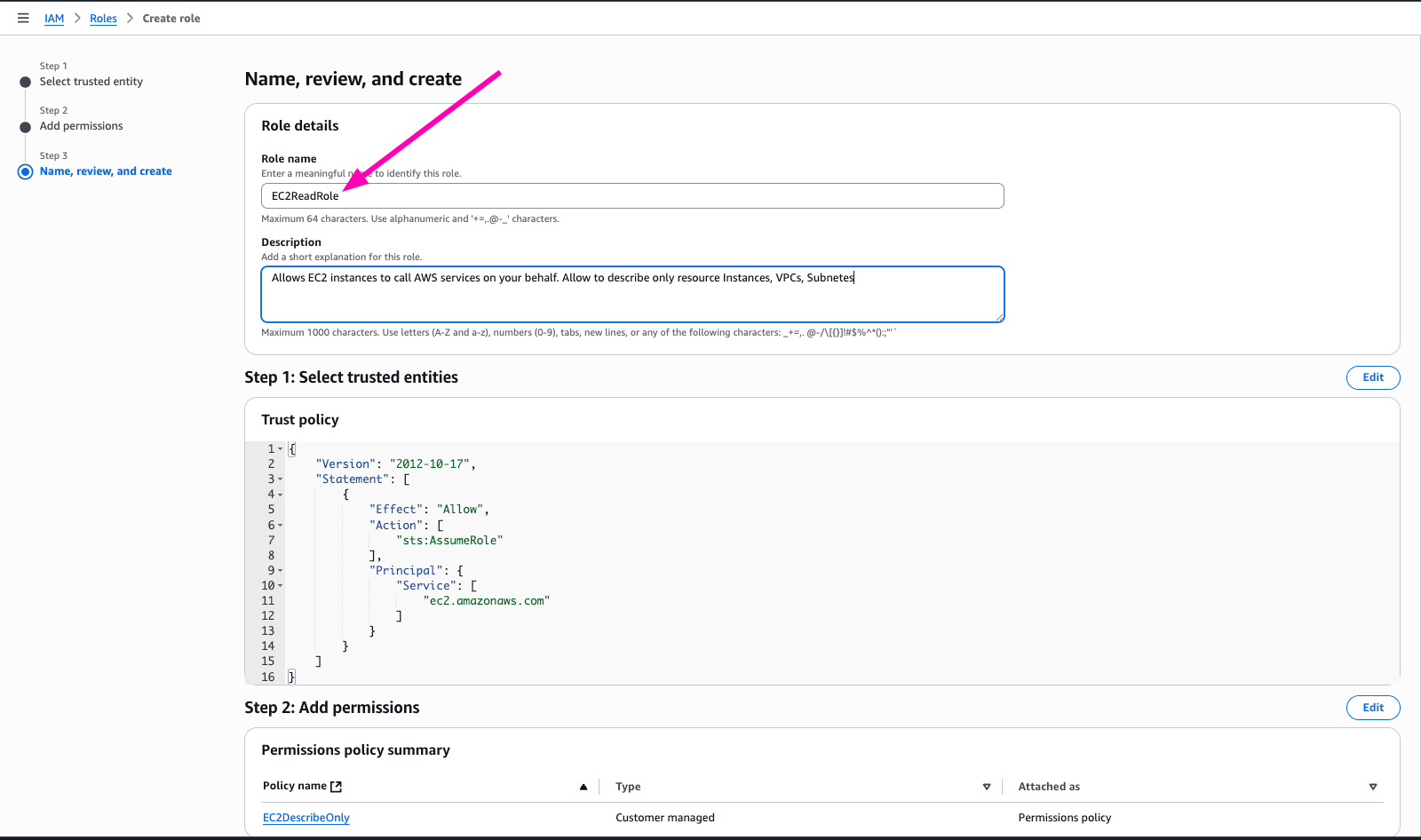
Check If Role Correct
To test role, we need to attach instance-profile to VM. And then testing to describe and terminate
Access to EC2 > Instances to assign new role.
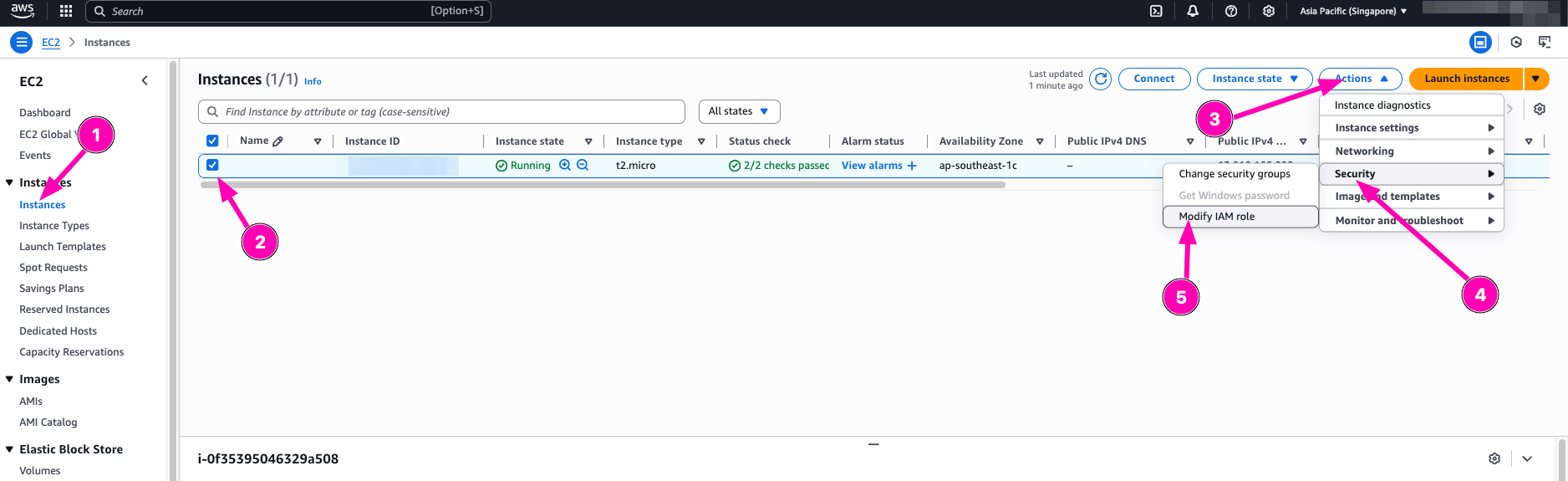
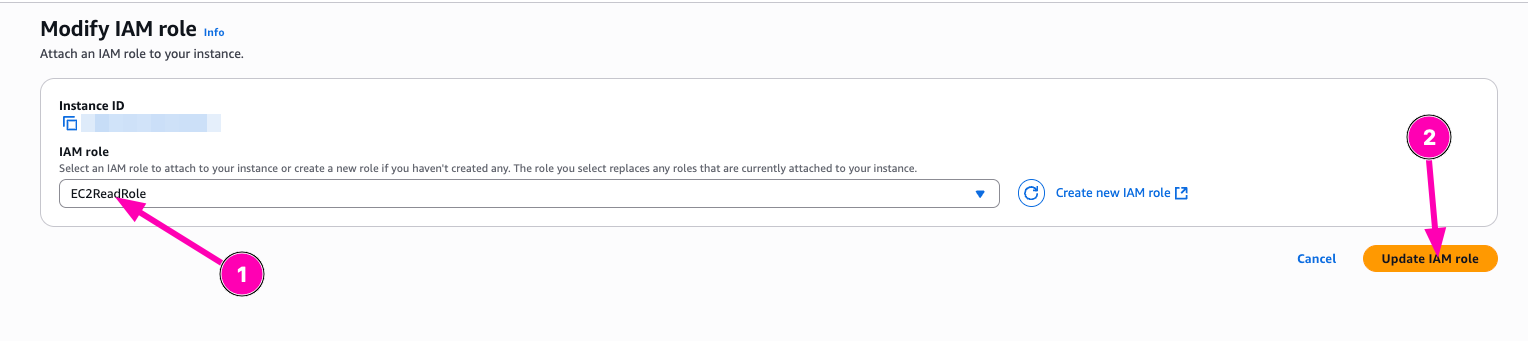
Attach Role > and update IAM role
To test, you need to access instances/vm via ssh.
Testing
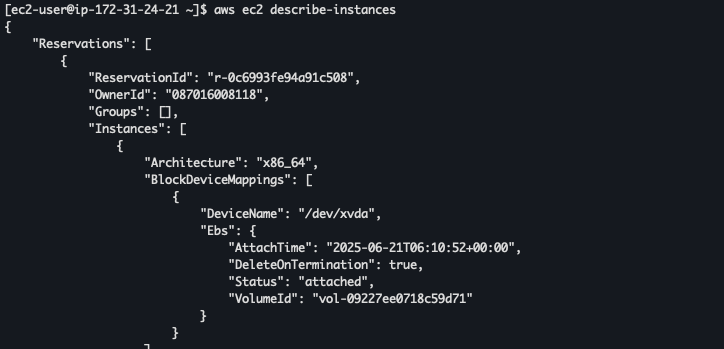
Testing to describe-instances
Testing destroy

Real World Usecase : Using IAM Roles with the principle of least privilege on EC2 instances is essential for maintaining security and operational efficiency. For example, a web application hosted on an EC2 instance may need to access files stored in Amazon S3, such as images or configuration data. Instead of hardcoding access keys—which poses security risks and is difficult to manage—an IAM Role allows the EC2 instance to securely access these resources using temporary credentials managed automatically by AWS
Question :
- Why is it dangerous to attach
AdministratorAccessto long-lived roles or CI/CD runners? - How would you modify this policy if a Lambda function needed read-only access to only a specific S3 bucket?
Answer :
- Attach
AdministratorAccessto ci/cd runners can potentialy have risk to manage all aws resources in instance without strict permission - I need to create policy called
S3ReadWritewith policy allow to readwrite S3 storage, and associate to lamda (i never try before, but i get the point using least-privilage)
Daily Quest #3: AWS Networking & VPC Deep Dive
Multi-tier network (public and private subnets) use for production use-case like connecting web servers to database. You don’t need web-server comunicate to database exposed to internet. Instead we can use
private-networkto connect beetween web-server and database. To expose web-server we can useinternet-gateway.
Reference :
Real World Usecase : In production web server and database recomend to use private network when comunicate each other. Using private network, need Nat Gateway to access intenet without exposing directly to the internet.
Skenario : Creating 2 instances, first instance alocated Elastic IP and second instance doesn’t attach elasticIP. Two instances connected between private-network. Makesure all instances can access internet
Subnet
Subnet is range IP Addresses in VPC
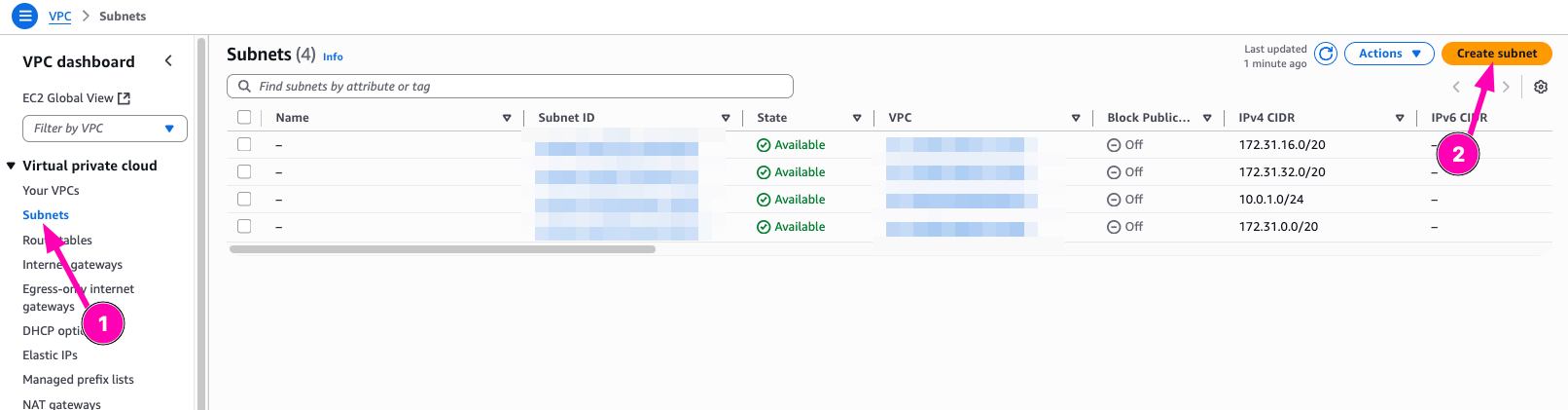
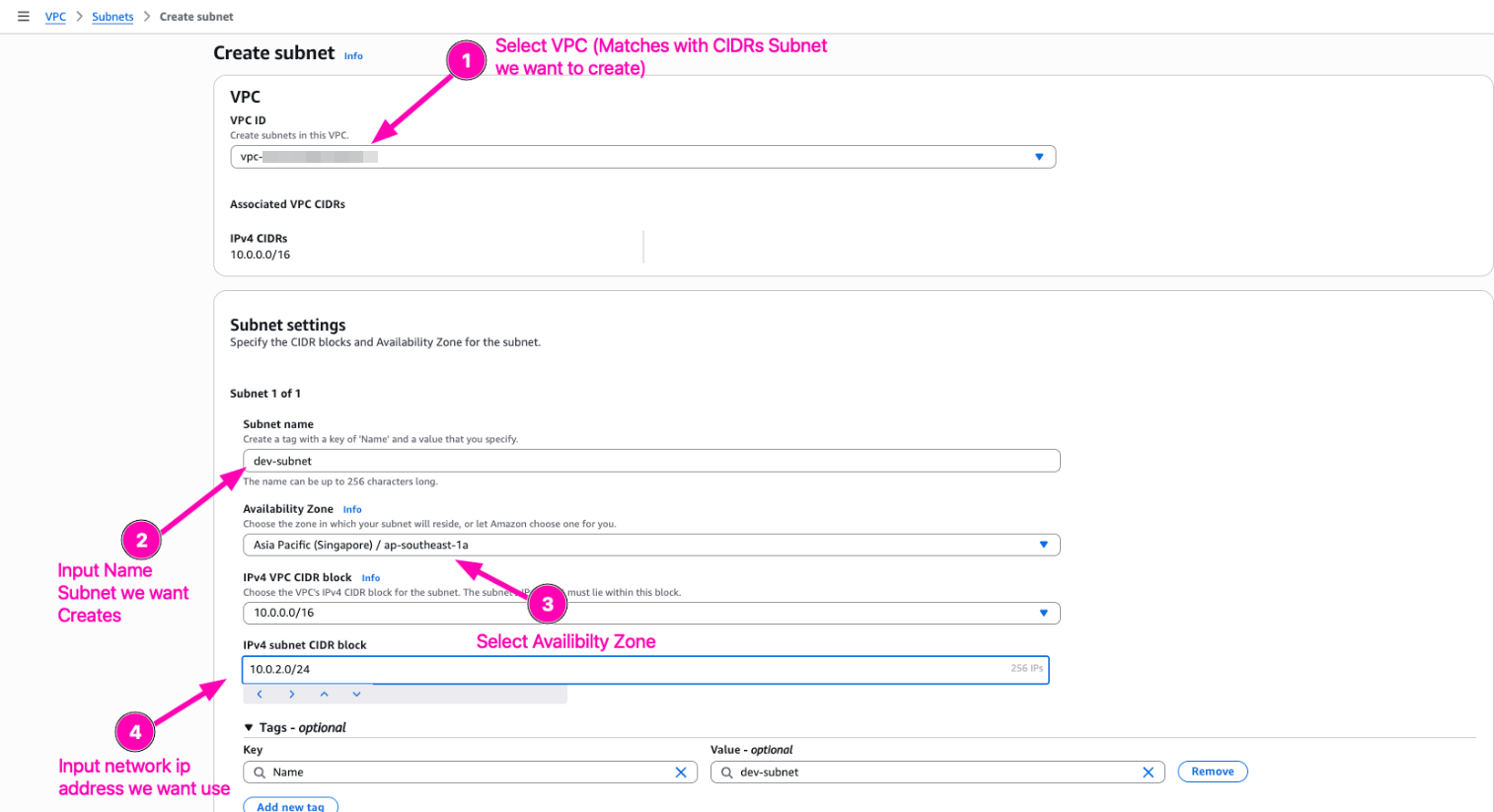
Create new subnet 10.0.2.0/24, but mark it as private it means doesn’t need to associate external gateway. Navigate to VPC > Subnets
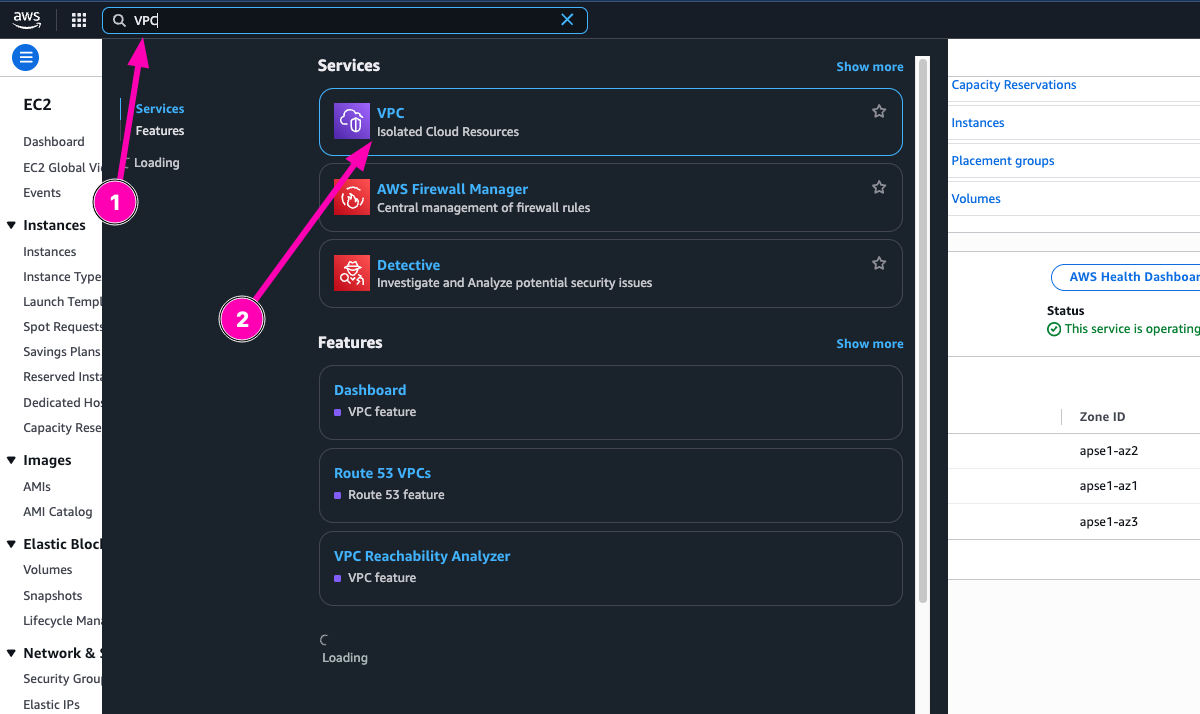
To create, click Create Subnet
Configure subnet we want to create
Result, subnet dev-subnet created

Nat Gateway
NAT Gateway is service you can use to private csubnet can connect to service outside your VPC but external services can’t initiate a connection with those instances.
When you create NAT gateway, you specisfy one of the following connectivity types :
- Public : (Default) Instances in private subnets can connect to internet through a public NAT gateway, but the instances can’t recive inbound connection from the internet
- Private : Instances in private subnets can connect to other VPCs on your on premises network through a private NAT gateway, but instances can’t recive inbound connection other VPCs or the on-premises network. The defference with Public is You can route traffic from the NAT gateway through a transit gateway or a virtual private gateway. You can’t associate an elastic IP address with a private NAT gateway. You can attach an internet gateway to a VPC with a private NAT gateway, but if you route traffic from the private NAT gateway to the internet gateway, the internet gateway drops the traffic.
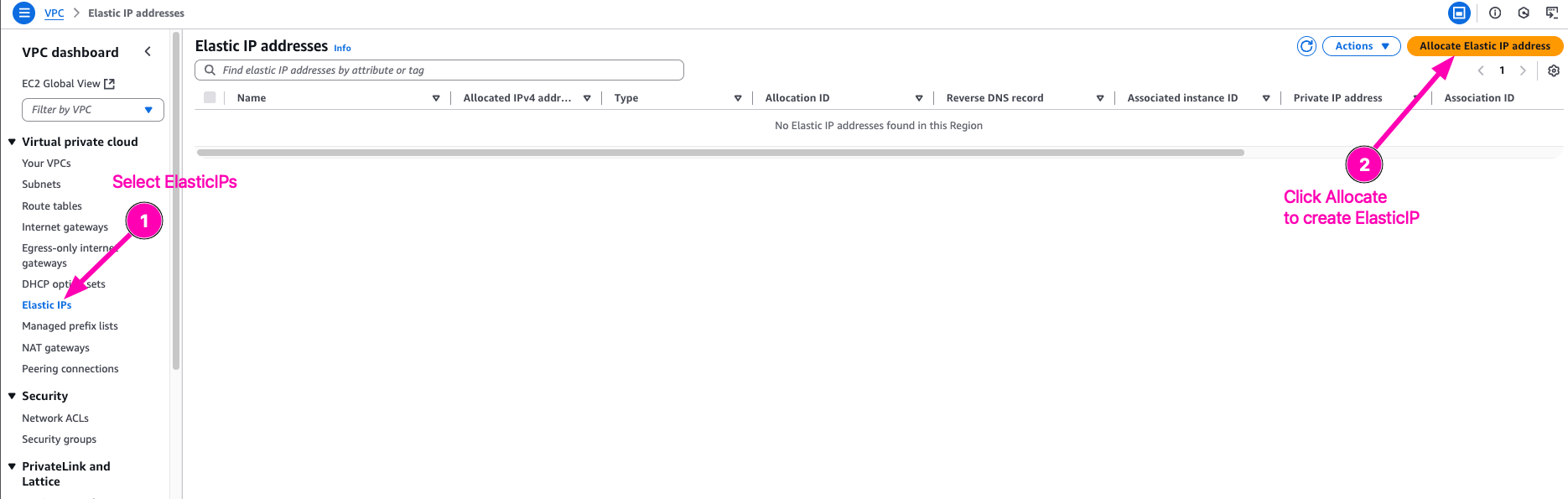
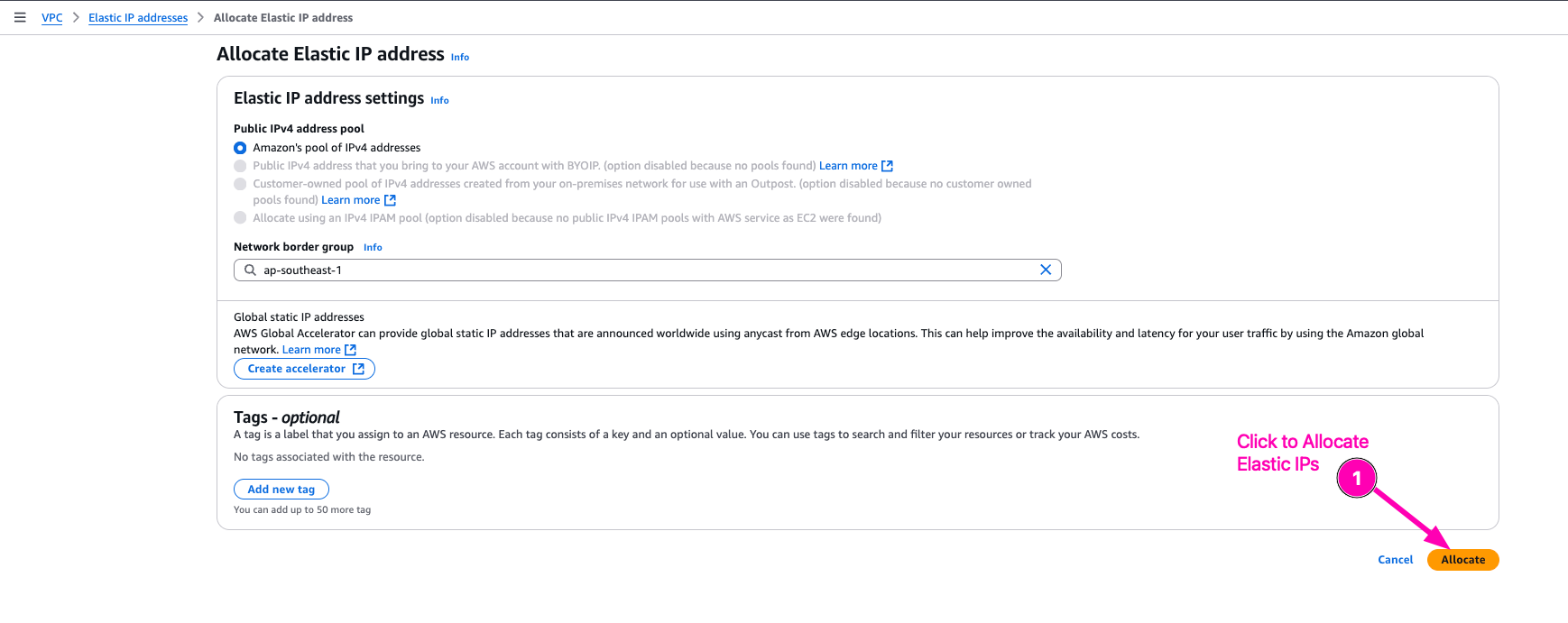
I want to create Public gateway, so first we need to Associate ElasticIP for launch Nat Gateway then. ElasticIP need to create because to NAT all private subnet to connect internet over ElasticIP.
Navigate to VPC > Elastic IPs > Associate Elastic IP address
Allocate Elastic IPs
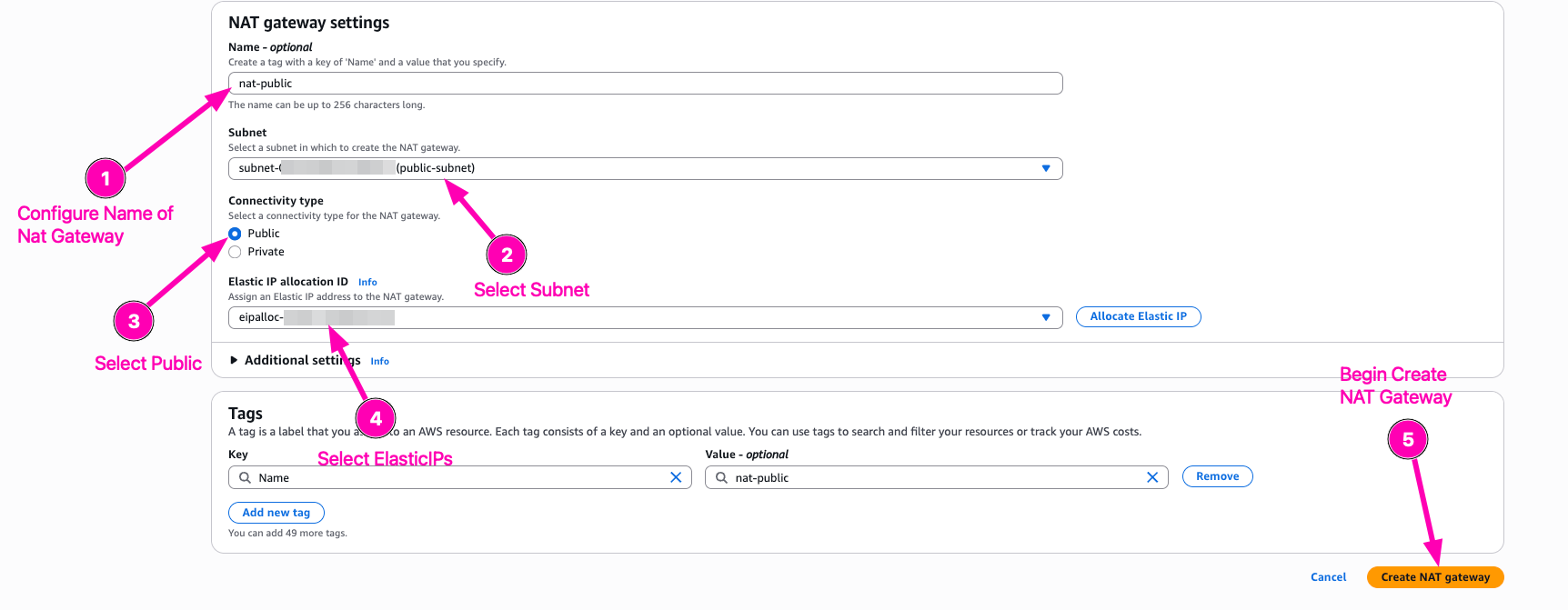
Then we begin to create NAT Gateway
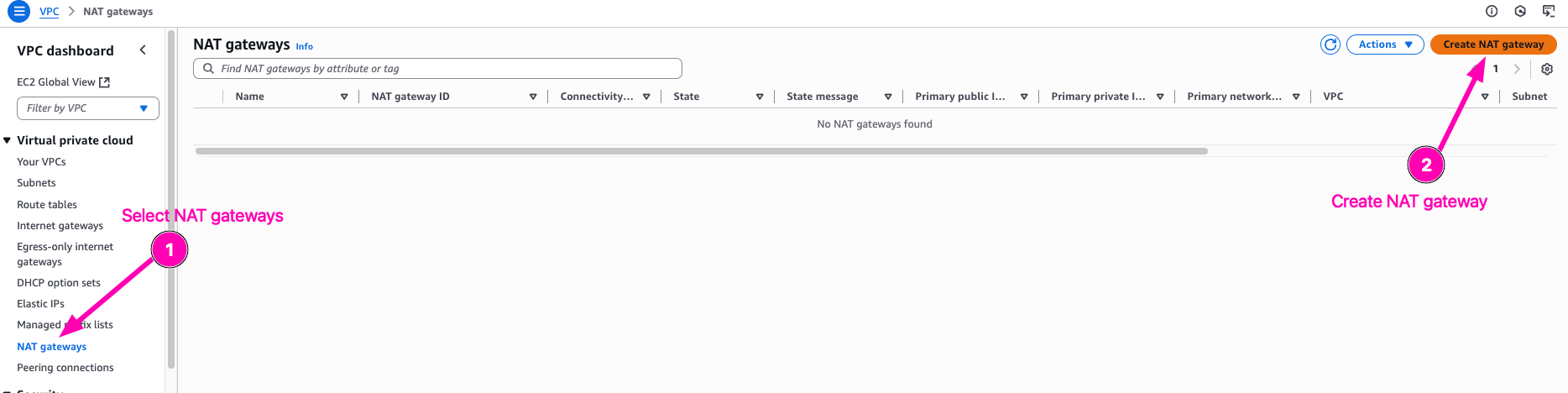
Configure public-subnet to use nat gateway
Result,

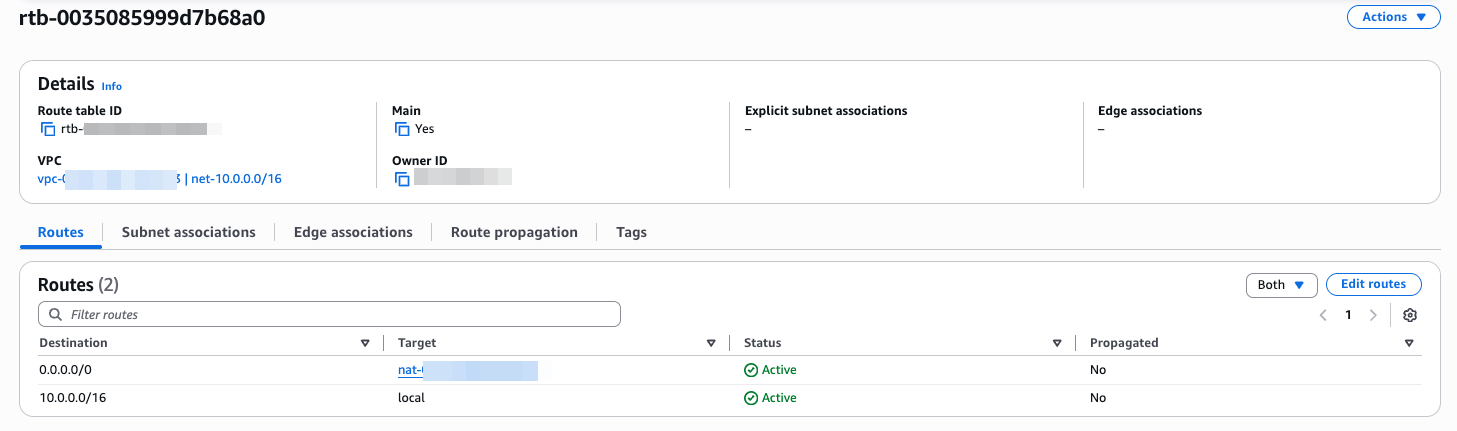
Edit route private subnets route table so that 0.0.0.0/0 point to Nat Gateway instead of IGW
Access to VPC > Route Tables > Your private-subnet/VPC Route ID
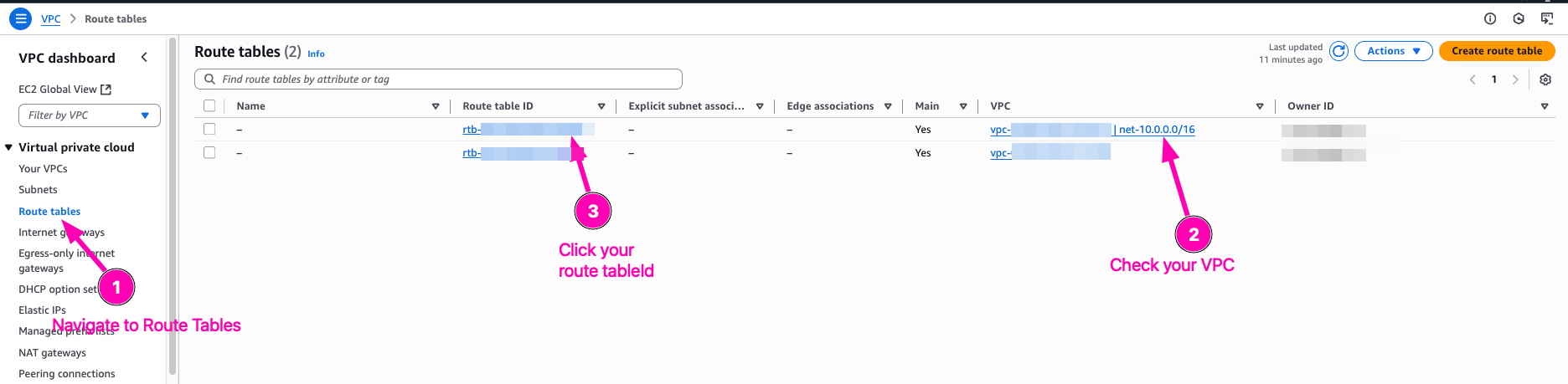
Edit Routes
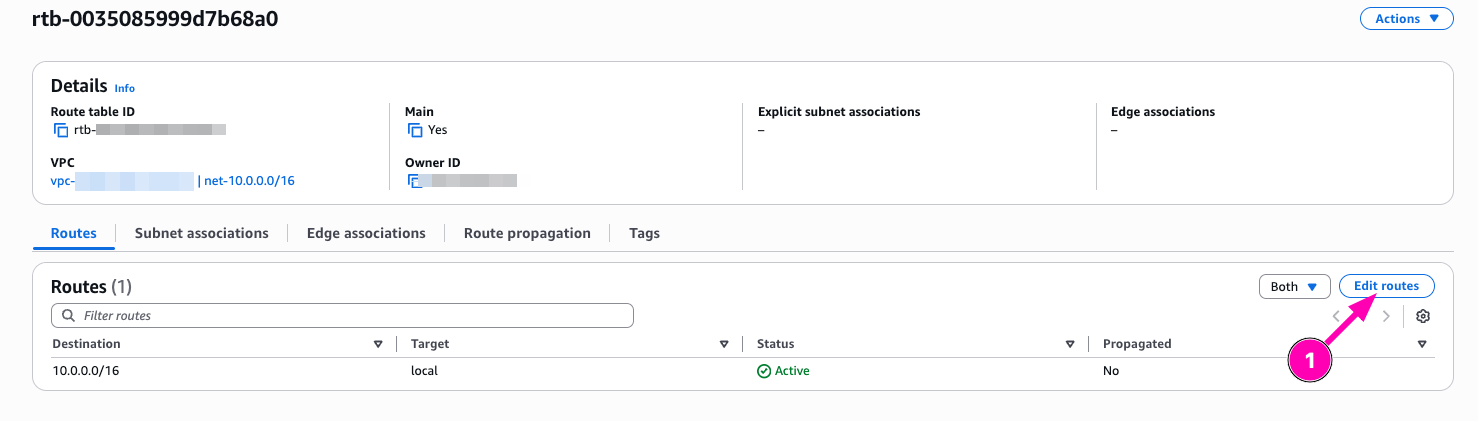
Add new route, select 0.0.0.0/0, configure target to Nat Gatway, than Save

Then result
Testing
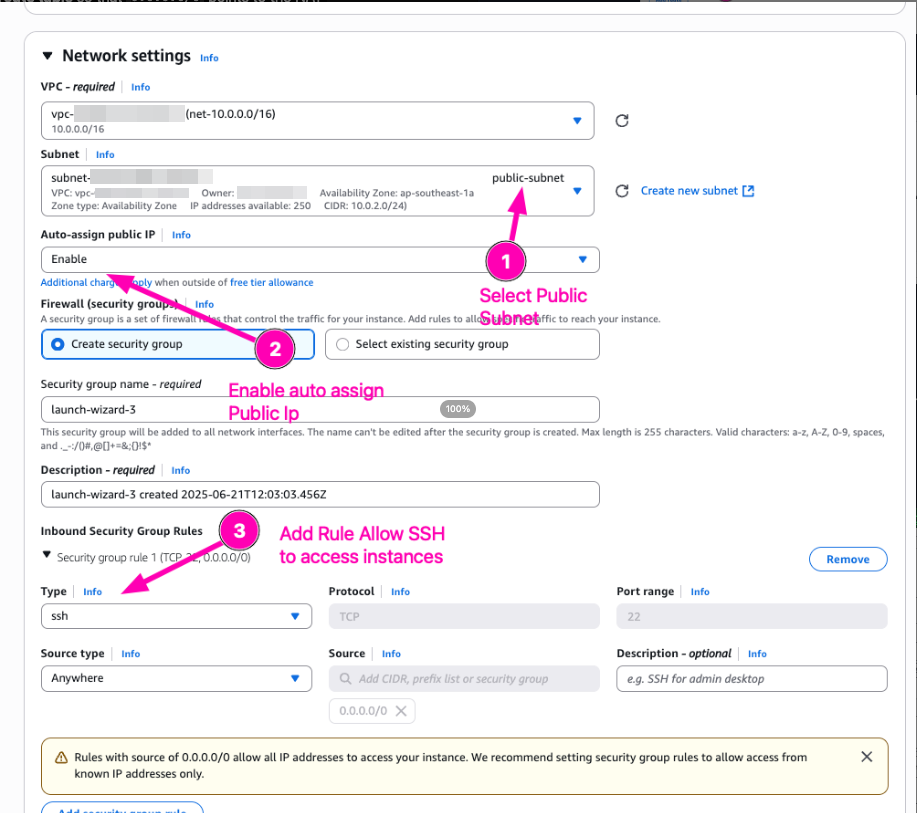
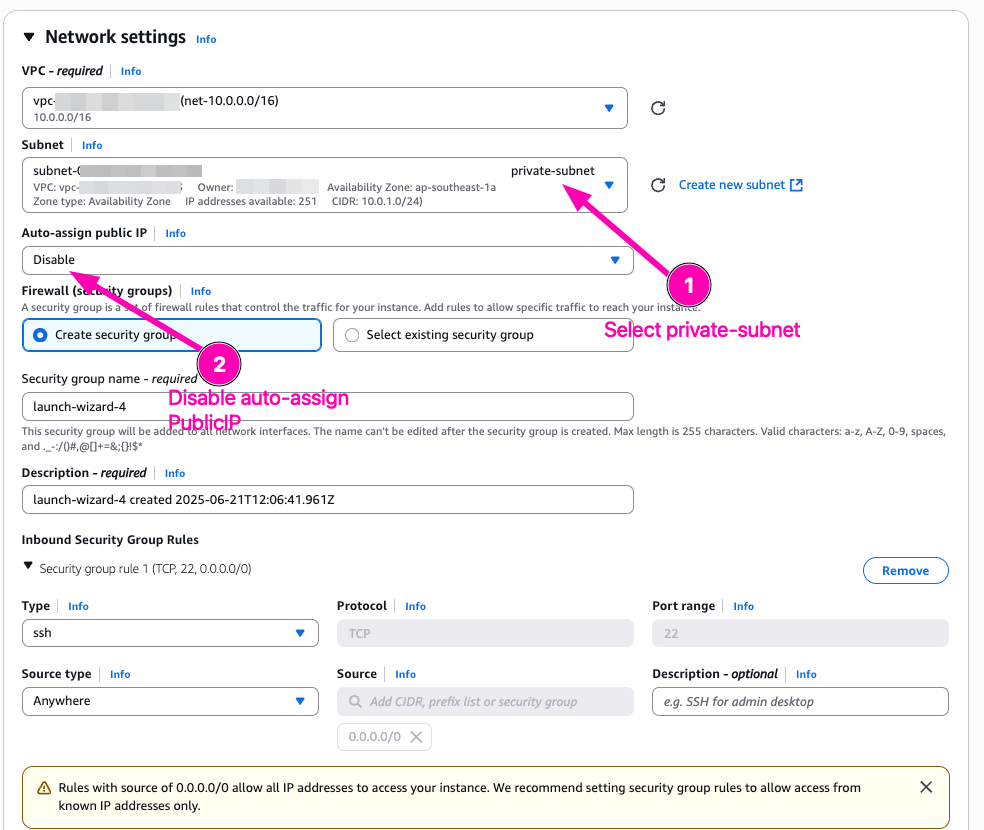
Create EC2 Instance, first attach to public-subnet, and then another to private-subnet. One instance on public-subnet attach elastic_IP to access SSH. And instance with private_subnet don’t attach Elastic IP. Only private network.
VM : pub-instance
VM : private-instance
Access to pub-instance, testing curl to https://ifconfig.me

In public-instance we using ElasticIP from attached

To access private-instance we have to access public_instance then ssh private-instance using private-ip.

In private-instance we get publicIp from natGateway

Read more

Provisioning AWS Lambda dengan Terraform
Lanjutan belajar AWS: mengenal Lambda dan provisioning Lambda function di AWS menggunakan Terraform.

Provisioning EC2 dan RDS di AWS dengan Terraform
Catatan provisioning infrastruktur AWS pakai Terraform untuk EC2 dan RDS, mulai dari konfigurasi sampai hasil apply-nya.

AWS IAM Role, EC2 Instance Profile, dan Multi-Tier VPC
Bikin IAM role dan attach ke EC2 lewat instance profile, uji akses ke S3 dan SSM Parameter Store, lalu provisioning multi-tier VPC pakai OpenTofu.

Belajar AWS VPC: Subnet, Internet Gateway, dan EC2 Free Tier
Catatan belajar dasar AWS VPC: bikin subnet, Internet Gateway, Security Group, dan EC2 di AWS Free Tier, termasuk setup IAM user dan AWS CLI.