Learn AWS VPC
With amazon virtual private cloud (VPC), you can launch aws resources in logicaly. isolated virtual network
Reference :
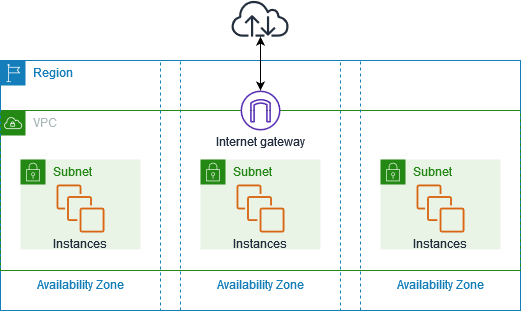
Explanation :
- VPC : isolated private network, that closely resembles a traditional network that you’d operate in own data center.
- Subnet : After create
VPC, then we can set range of IP Address in your VPC. A subnet must reside in singleAvailibilty Zone. After youadd subnets, you can deploy AWS resources in VPC. - Internet Gateway : Gateway connect vpc to another network, for example if you want to connect all resources in VPC to internet, you nedd a
internet-gateway - Route Tables : Route table containts set of rules, called route. That are used to determine where network from your VPC is directed.
Daily Quest #1: AWS Free Tier Kickoff
Learn about basic VPC, subnet, IGW (Internet Gateway), SG (Security Group), and EC2 using AWS Free Tier. Because i don’t have AWS account, i need to sign up After login to account, makesure to enable 2FA for security reason.
Reference :
Setup IAM User
Instead login using
root_user, AWS recomend to login using IAM user.
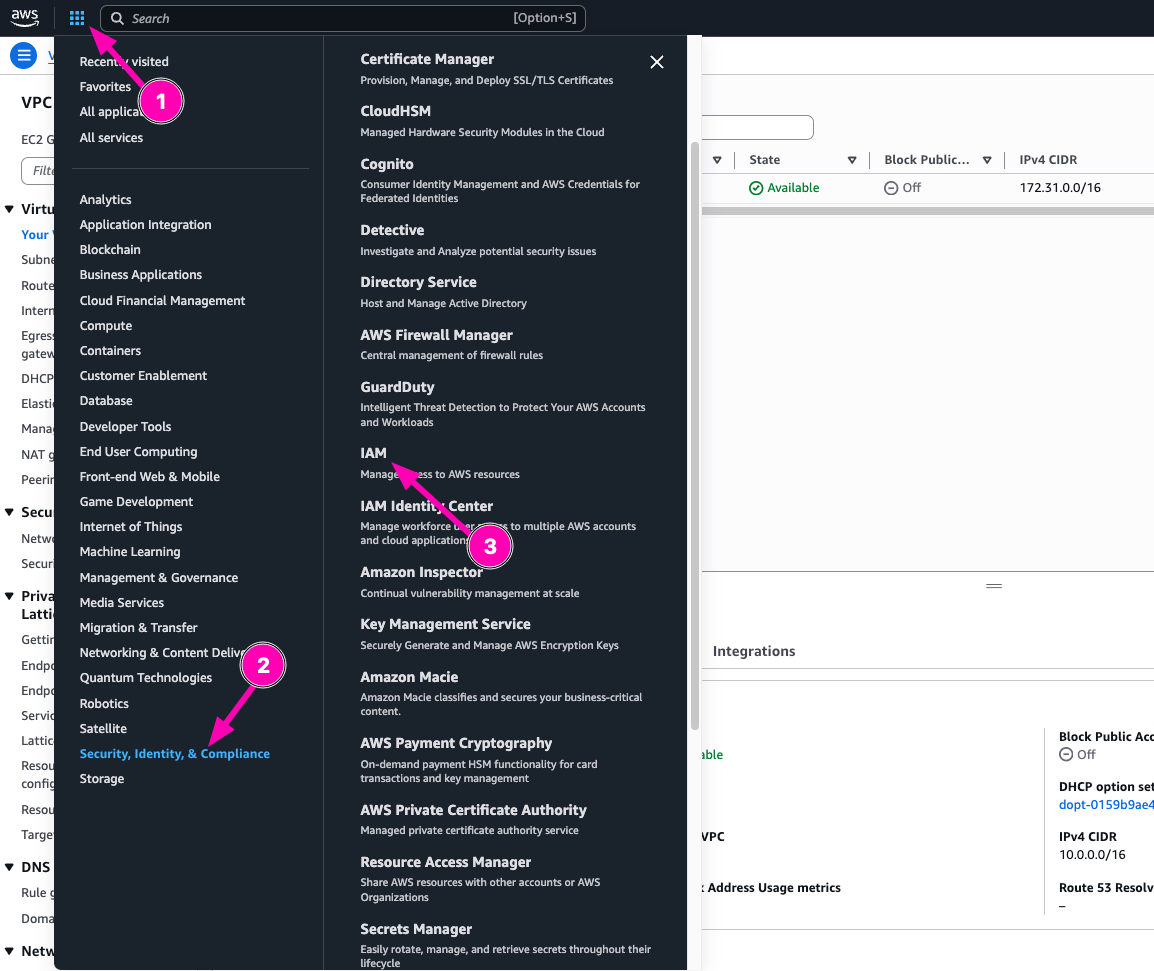
I want to setup IAM user first, navigate to Menu > Security, Identitiy & Compliance > IAM
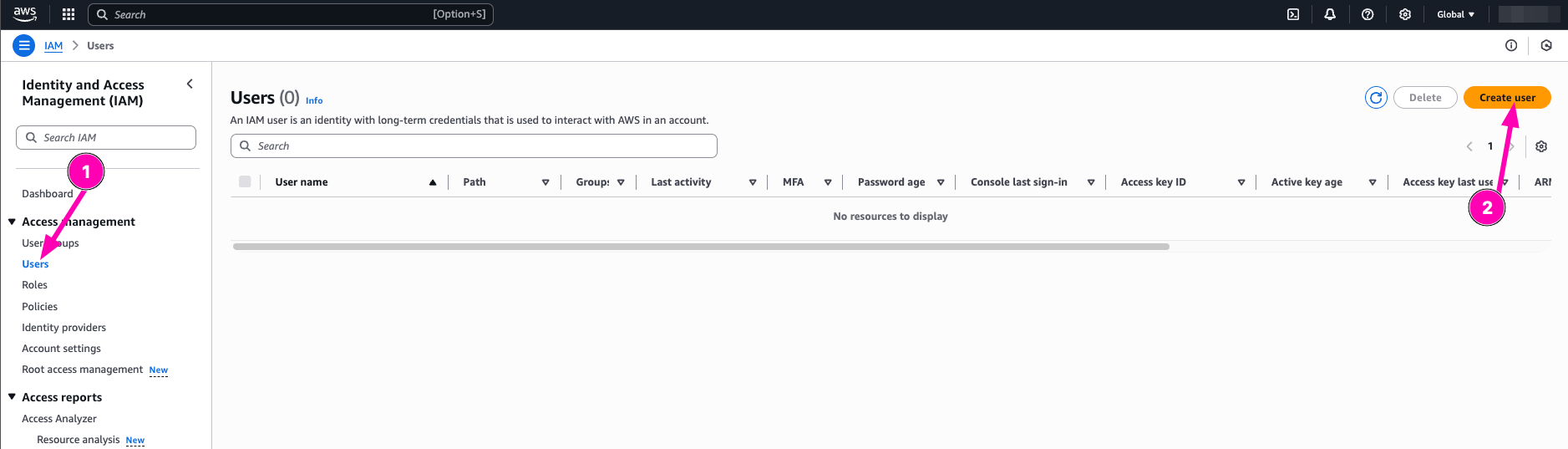
in IAM Dashboard, navigate to User > Create User
Then follow the step to create new IAM User. After all user details correct, click next
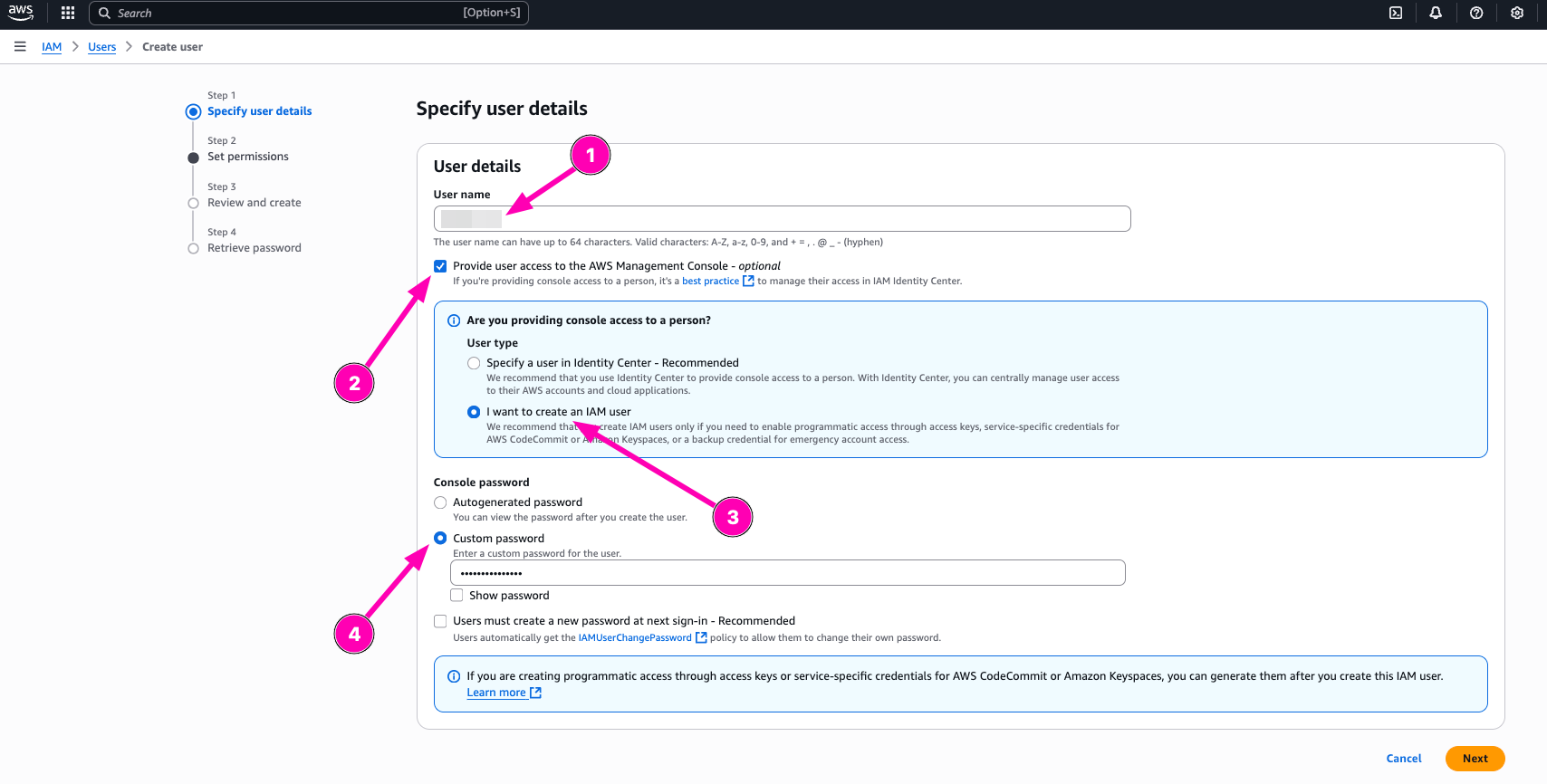
I think i don’t need to create new group for my aws account, so i prefer to attach policy directly to AdministratorAccess
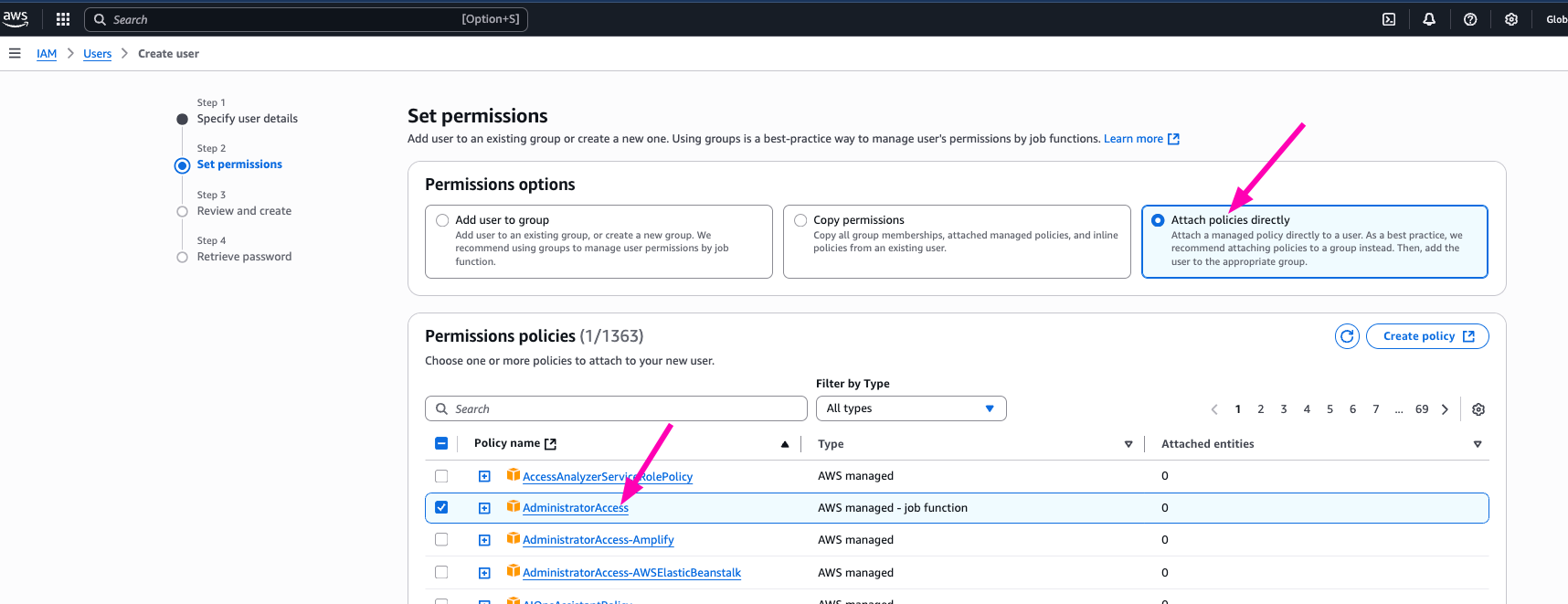
After creating new IAM user, next login makesure to login using IAM user.
AWS CLI
command line interface to manage all AWS Resources.
Reference :
Installing on macOs
curl "https://awscli.amazonaws.com/AWSCLIV2.pkg" -o "AWSCLIV2.pkg"
sudo installer -pkg AWSCLIV2.pkg -target /

# Setup auto complate
vim ~/.zshrc
---
# Endfile
autoload bashcompinit && bashcompinit
autoload -Uz compinit && compinit
complete -C '/usr/local/bin/aws_completer' aws
Next create access key. Navigate to IAM > Users

Then select your user, Security Credentials > Create Access Key
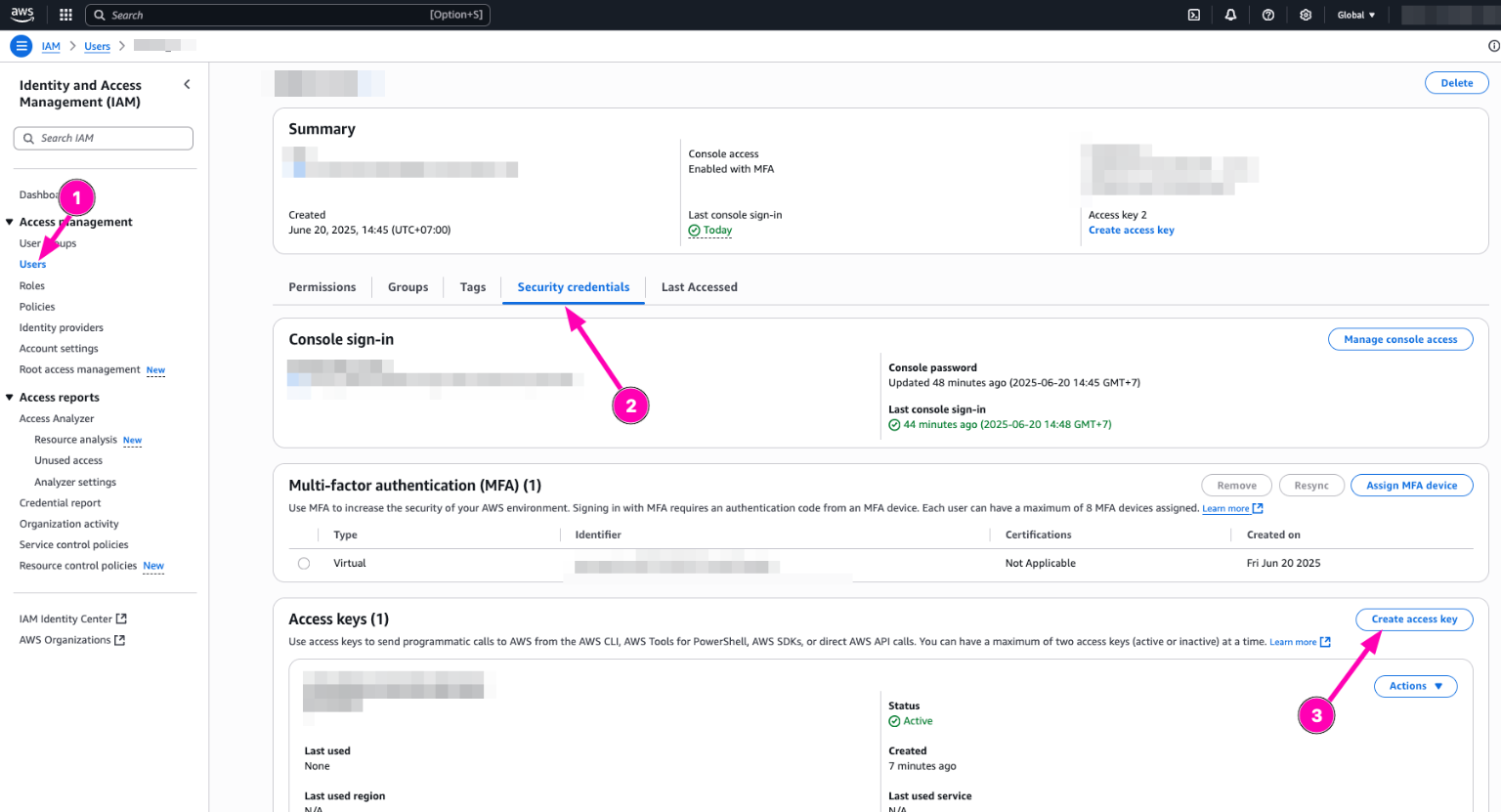
Then select Command Line Interface (CLI) and makesure you backup aws_access_key_id and aws_secret_access
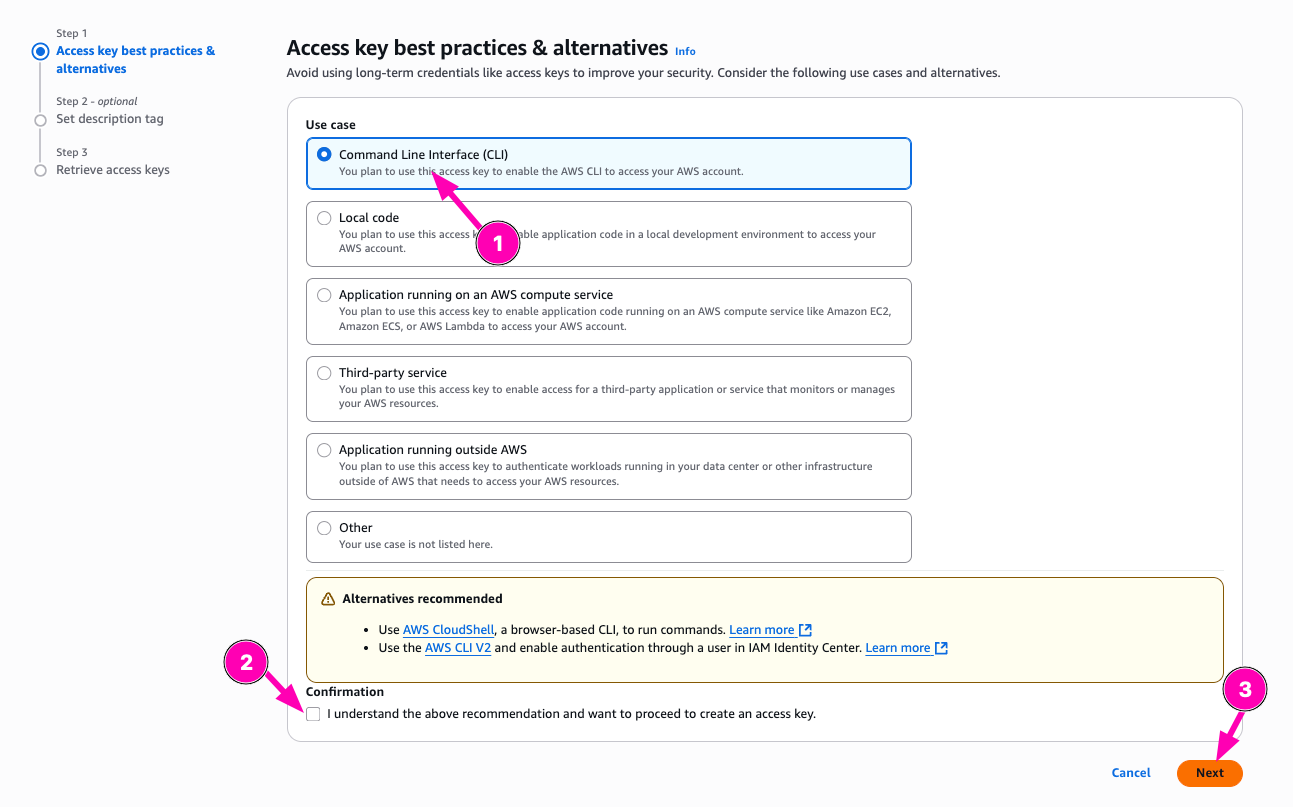
To login, exec below in terminal
aws configure
You need to input
aws_access_key_idandaws_secret_accesspreviously you generate.
Setup VPC
So first i want to create testing virtual machine, but before we provisioning VM (EC2), we need to setup VPC.
- Create VPC with
10.0.0.0/16
VPC is your private network. It’s isolated from anything network or internet
VPC_ID=$(aws ec2 create-vpc --cidr-block 10.0.0.0/16 --query 'Vpc.VpcId' --output text)

# check
echo $VPC_ID
Result, Navigate to VPC > Your VPCs

- Create public subnet
Subnet is your IP Address range can be used on EC2 Vm/Instances
SUBNET_ID=$(aws ec2 create-subnet --vpc-id $VPC_ID --cidr-block 10.0.1.0/24 --query 'Subnet.SubnetId' --output text)

# check
echo $SUBNET_ID
Result, VPC > Subnets

- Create & Attach Interent gateway
Attach internet gateway to makesure your vpc network can accessing internet
IGW_ID=$(aws ec2 create-internet-gateway --query 'InternetGateway.InternetGatewayId' --output text)

# Check
echo $IGW_ID

# Attach to VPC
aws ec2 attach-internet-gateway --vpc-id $VPC_ID --internet-gateway-id $IGW_ID
Result, VPC > Internet Gateways

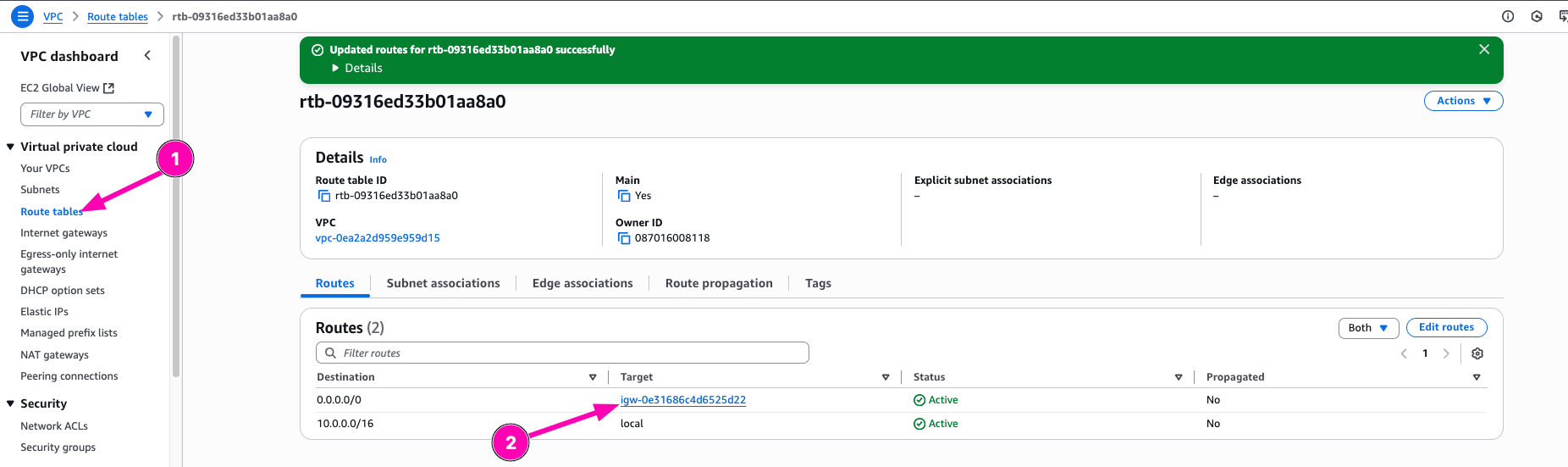
- Setup Route Table & Associate
Route table containts route, where network traffic from subnets/gateway directed
RTB_ID=$(aws ec2 create-route-table --vpc-id $VPC_ID --query 'RouteTable.RouteTableId' --output text)

#check
echo $RTB_ID

# next create route to internet, gateway using $IGW_ID
aws ec2 create-route --route-table-id $RTB_ID --destination-cidr-block 0.0.0.0/0 --gateway-id $IGW_ID

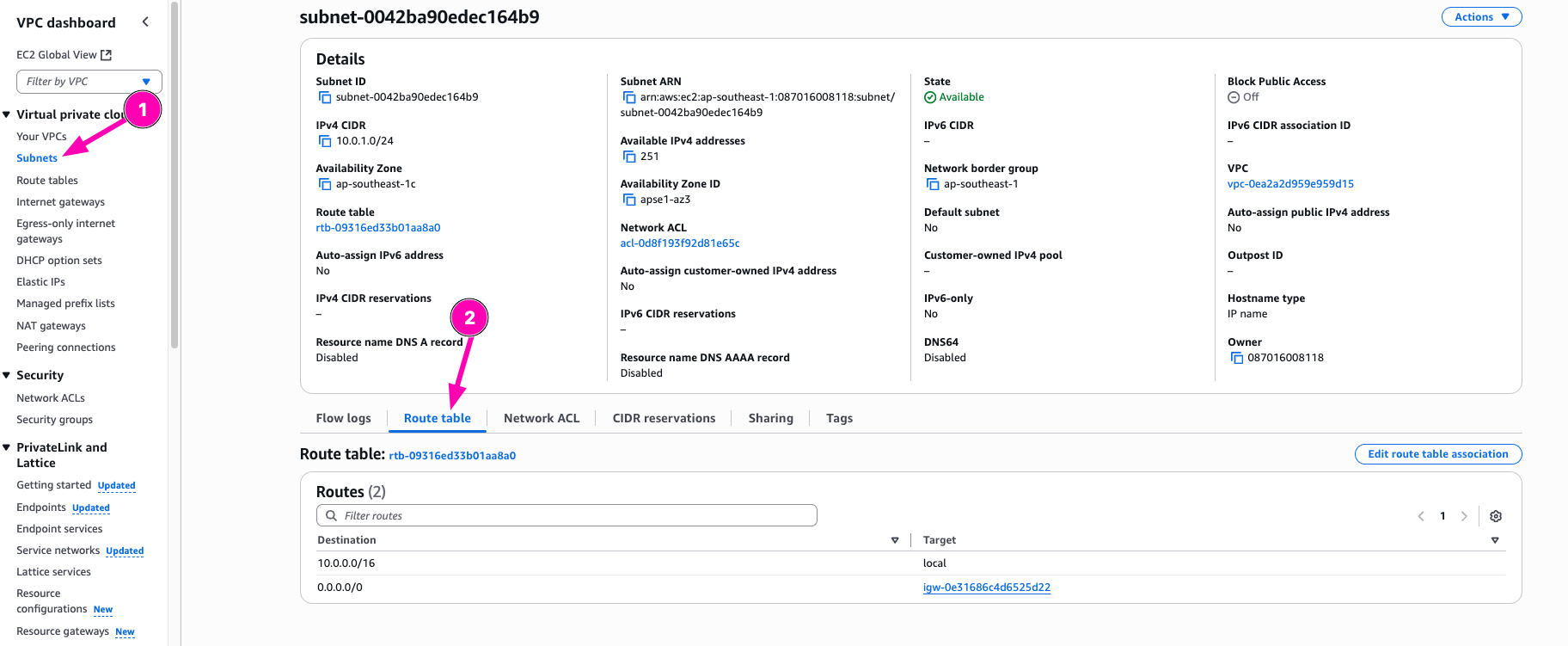
# next associate route table to subnet
aws ec2 associate-route-table --route-table-id $RTB_ID --subnet-id $SUBNET_ID
Check if route table to interet exists. VPC > Route Tables > Select $RTB_ID
Check if route table already associated to subnets VPC > Subnetes > Select $SUB_ID > Route Table
- Create Security group & Assign SSH Rule
A security group acts as a virtual firewall that controls the traffic for one or more instances.
SG_ID=$(aws ec2 create-security-group --group-name dev-sg --vpc-id $VPC_ID --query 'GroupId' --output text --description "Dev SG")

# check
$echo $SG_ID

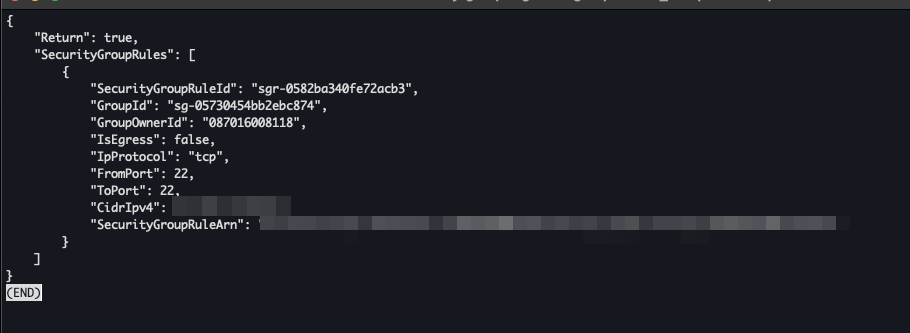
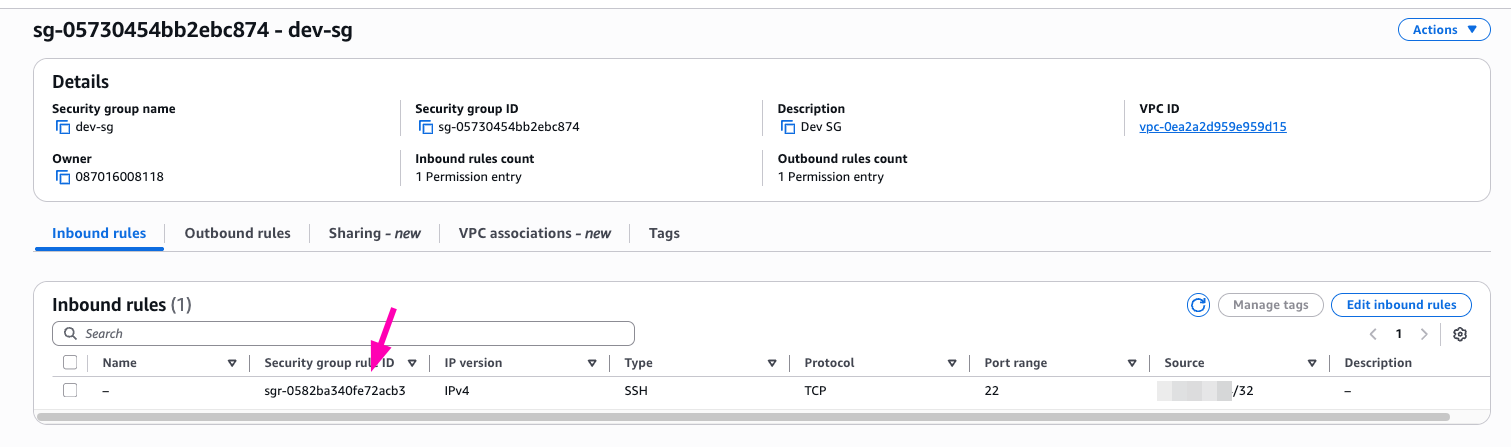
# Assign security rule to allow ssh only from my public ip
aws ec2 authorize-security-group-ingress --group-id $SG_ID --protocol tcp --port 22 --cidr $(curl -s ifconfig.me)/32
Result,
Check if security group created VPC > Security Groups

Check if security group rule created VPC > Security Groups > $SG_ID
- Launch EC2 Instance
INSTANCE_ID=$(aws ec2 run-instances --image-id ami-02c7683e4ca3ebf58 --instance-type t2.micro --subnet-id $SUBNET_ID --associate-public-ip-address --security-group-ids $SG_ID --key-name nb-key --query 'Instances[0].InstanceId' --output text)

# check
echo $INSTANCE_ID

# Get Public IP
PUB_IP=$(aws ec2 describe-instances --instance-ids $INSTANCE_ID --query 'Reservations[0].Instances[0].PublicIpAddress' --output text)
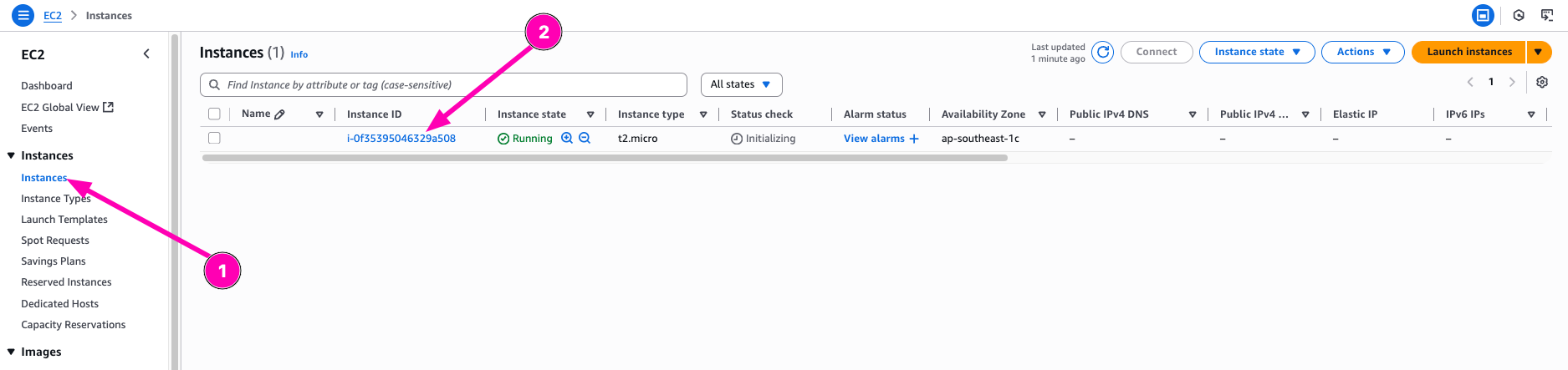
Result, navigate to EC2 > Instances
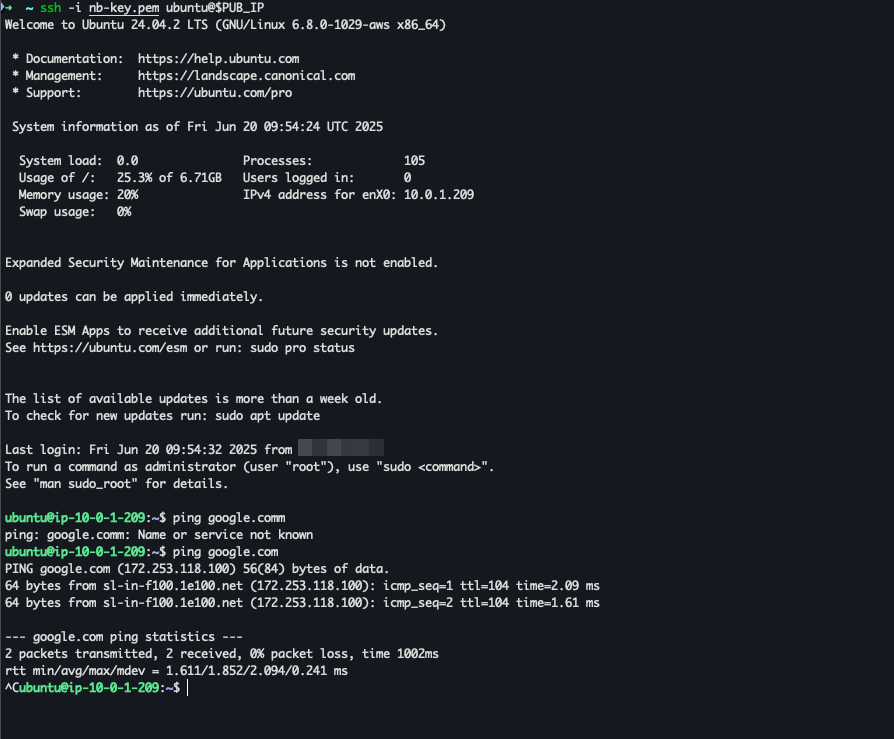
Access instance
ssh -i ~/.ssh/<YourKeyPair>.pem ubuntu@$PUB_IP
Question
- Mengapa kita perlu subnet publik + IGW daripada langsung “internet-enabled”?
- Apa risiko membuka port 22 untuk publik dan bagaimana mitigasinya (hint: jump host)?
Answer
- Karena secara default, VPC dalam aws itu tidak dapat mengakses keluar. Jadi disini kita perlu membuat sebuah subnet yang diarahkan routingnya ke gateway
- Semua orang dapat mengakses, ini akan menjadikan kerentanan jika orang tidak bertanggung jawab bisa mengakses port SSH. Dan juga kadang SSH itu lawan di bruteforce
Read more

Provisioning AWS Lambda dengan Terraform
Lanjutan belajar AWS: mengenal Lambda dan provisioning Lambda function di AWS menggunakan Terraform.

Provisioning EC2 dan RDS di AWS dengan Terraform
Catatan provisioning infrastruktur AWS pakai Terraform untuk EC2 dan RDS, mulai dari konfigurasi sampai hasil apply-nya.

AWS IAM Role, EC2 Instance Profile, dan Multi-Tier VPC
Bikin IAM role dan attach ke EC2 lewat instance profile, uji akses ke S3 dan SSM Parameter Store, lalu provisioning multi-tier VPC pakai OpenTofu.
AWS IAM Least-Privilege Policy dan VPC Networking Deep Dive
Menyusun IAM policy least-privilege dan IAM role di AWS, lalu lanjut ke networking VPC: subnet publik-privat sampai NAT Gateway.